




4.8
Free
Launcher iOS 26 Theme
iOS-style launcher that reproduces iPhone home screens


Safe & trusted downloads
The best software, verified by experts
<h2>iOS-style launcher with Liquid Glass home screen</h2>
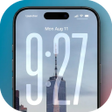
Phone Launcher OS by BABYDOLA is an Android home-screen replacement that recreates an iOS-like interface for users who prefer that aesthetic. The launcher replaces the default desktop with a 'Liquid Glass' design and adds an App Library, smart search, Control Center, and iOS-style widgets to centralize app access and quick controls. Key capabilities include automatic app categorization, custom icon pack support, and an integrated assistant. It runs on Android 8.1 and up.
The launcher swaps the system home screen for a frosted, translucent "Liquid Glass" interface and introduces an automatic App Library that groups installed apps into categories such as Social, Games, and Productivity. A swipe-down smart search locates apps, contacts, and settings, while a set of iOS-style widgets for weather, clock, battery, and calendar sits alongside a built-in assistant for personalized suggestions.
Customization covers icon themes, widget placement, and a unified quick-access panel called Control Center. Users can apply third-party icon packs and adjust widget sizes to match the aesthetic. The Control Center exposes essential toggles and sliders; for example, it provides quick switches for Wi-Fi and Bluetooth plus brightness and volume controls, letting the user consolidate common settings in one panel.
BABYDOLA describes the product as optimized for speed and efficiency, aiming to keep animations smooth without significant battery drain. The app targets devices running Android 8.1 and later, so performance depends in part on the host device. Animations and transparency effects are visually prominent, and on lower-end hardware users should test responsiveness since graphics work contributes to runtime load.
After installation, pressing the home button prompts selection of Phone Launcher OS as the default interface, a standard launcher flow. The tool adapts its layout for smartphones and tablets and includes a privacy feature that hides chosen apps from the main pages and library. Common daily tasks use the system tray and home gestures, so basic setup is accessible without deep technical knowledge.
Phone Launcher OS is a practical option for Android users who want an iOS-inspired arrangement and visual style on their devices. The app shows broad appeal, with millions of downloads and positive ratings, but it is supported by advertisements and requires broad permissions for full emulation. It suits people willing to accept those trade-offs in exchange for a consistent, emulated interface.
Free
iOS-style launcher that reproduces iPhone home screens

Free
iOS-style home launcher for Android with integrated Control Center
Free
Enhance Your Android Experience with OS26 Launcher
Free
Revamp Your Android Experience with FocusOS Launcher

Free
No Launcher: A Minimalist Home Screen for Android

Free
Lime Launcher: A Minimalist Android Experience