




4.2
Free
Phone Launcher OS by BABYDOLA
iOS-style launcher with Liquid Glass home screen


Safe & trusted downloads
The best software, verified by experts

iOS-style launcher that reproduces iPhone home screens
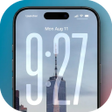
Launcher iOS 26 Theme by Amobear Application - Avntech Master Tools is an Android launcher that reproduces iPhone-style visuals and layout for mobile home screens. It replaces the default launcher with an iOS-like home screen, icon pack, Control Center and App Library to emulate iPhone navigation. Key elements include an icon pack, iOS-style widgets, smart search and an HD wallpaper gallery. The app suits Android users who want a quick, low-configuration visual overhaul.
Launcher alters the home screen, lock screen and quick controls by applying iOS-inspired visuals: an iOS-style icon pack, a swipe-access Control Center for Wi-Fi, Bluetooth, brightness and volume, notification badges on icons, and an App Library that groups apps automatically. The launcher also adds iOS-style widgets for weather, battery and calendar, plus an HD wallpaper gallery to replace stock backgrounds.
The app provides multiple adjustment points: icon replacement, widget placement, wallpaper selection and a Smart Search gesture accessible by swiping down. App Library auto-categorizes installed applications, while the wallpaper gallery includes high-resolution iOS-themed images. The launcher supports standard Android widgets alongside its own iOS-style widgets, so users can create hybrid layouts rather than being limited to a single set of components.
Amobear positions the launcher as performance-conscious, stating it offers smooth animations and transitions without significant battery drain. The developer publishes regular updates that incorporate the latest iOS design elements, which helps maintain compatibility. Because this is a persistent home-screen replacement, it runs as the active launcher process; performance claims are based on the developer’s optimisation focus rather than measured RAM and CPU figures.
Setup is straightforward, with an instant theme application path that reduces configuration steps and a swipe gesture to open the Control Center. The launcher targets Android devices and typically requires Android 5.0 or higher for full feature support. The developer’s update cadence and the app’s inclusion of both its widgets and standard Android widgets improve compatibility across different device models and launcher expectations.
Launcher is a practical choice for Android users who want an iOS-like interface with minimal configuration, because it reproduces iOS visuals and organizes apps without altering the underlying operating system. Note that the change is cosmetic only, not a system replacement, and user reports indicate advertisements appear inside configuration menus, which can interrupt the initial setup experience.
Free
iOS-style launcher with Liquid Glass home screen
Free
Enhance Your Android Experience with OS26 Launcher

Free
iOS-style home launcher for Android with integrated Control Center
Free
Revamp Your Android Experience with FocusOS Launcher
Free
Modern Launcher with Unique Depth Clock Effect
Free
Stylish Icon Pack for XPERIA Home Launcher