




4.1
Free
OS Launcher 26 - Home Screen
iOS-style launcher for Android with Control Center


Safe & trusted downloads
The best software, verified by experts

<h2>iOS-style home launcher for Android with integrated Control Center</h2>
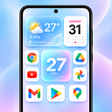
OS Phone: Home Launcher, by Neli Creative, is an Android home-screen replacement that recreates an iOS-style interface for users preferring that visual model. The app substitutes the default desktop with an App Library and a Control Center to surface quick toggles and interactive widgets. It offers customizable icons and labels, built-in weather and calendar widgets, and light/dark themes. The launcher targets Android users who want an organized, visually consistent home screen without complex setup.
The app substitutes the standard Android home screen and app drawer with a layout that mirrors modern OS devices, including characteristic icons, fluid animations, a dedicated App Library, and a Control Center. The Smart App Library automatically categorizes applications into folders, and built-in widgets for weather, battery, and calendar sit alongside standard Android widgets for mixed layouts.
The tool exposes per-icon adjustments and label editing plus multiple OS-inspired themes, including dark and light modes. Customization elements include:
The launcher uses an optimized engine marketed for fast, lag-free performance and is tuned for recent Android releases, including 2026 builds. Reported user feedback highlights speed as a strength, which aligns with the developer claim of a lightweight runtime designed to keep scrolling and animations responsive on contemporary hardware.
Installation follows a typical Play Store flow and supports selecting gallery wallpapers. The app requests Accessibility Services to enable the Control Center overlay, custom touch gestures, and system actions such as screenshots or screen-off commands. Those permission steps are necessary to activate the overlay features but do not modify the underlying operating system.
The launcher is a maintained option for Android users seeking an OS-style home-screen alternative, since the developer issues regular updates to reflect design changes. A practical consideration: some users note the presence of advertisements during use, which affects the experience for people sensitive to in-app promotions. For those who prioritize visual parity and ongoing maintenance, the launcher is a suitable match.
Free
iOS-style launcher for Android with Control Center
Free
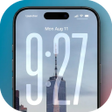
iOS-style launcher with Liquid Glass home screen
Free
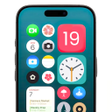
Transform Your Android with PixOS iLauncher
Free
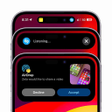
This app brings iPhone-inspired customization to Android

Free
Smart Left Page - A Personalized Home Screen for Android
Free
Transform Your Phone with HomeEase Launcher