
4
Free
Document Editor For Windows 10
Document Editor For Windows 10 Review


Safe & trusted downloads
The best software, verified by experts
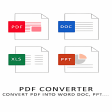
Convert PDF to Word
FascinatedMoonApps is a tool that lets you convert PDF to Word format for easy reading. It is a quick and simple way to convert PDF files to Microsoft Word documents. You can use it to convert multiple PDF files at a time. It is very easy to use and works with all the latest versions of Windows. It is a simple, one-click solution to convert PDF files to Word format. You don't need to install any additional software or plugins. Just download the tool, open the PDF files and click on the 'Convert' button. The software converts PDF to Word format in seconds. It can be used to convert multiple PDF files at a time. This tool is free to use and there are no adverts or any other nagging features to get in the way of your conversion. You can use the tool to convert PDF files to Word format for easy reading.

Easy file-transfer tool

A free partition management program for Windows

A free tool for transferring Android files

Download Graphics Driver for Windows 32 & 64 bit

Migrate Windows apps and clone disks
Free
Document Editor For Windows 10 Review
Trial version
Convert you PDF files directly to Word format with PDF to Word Converter

Free
Check your Windows for updates with this free app

Free
Efficient Document Reading with Word Reader
Free
Convert your spreadsheets to PDF fast and free

Free
Transfer Print to Screen with MeOCR Image To Text Converter

Lightweight program uninstaller for PC

Recompress and optimize files
Content extractor tool for Microsoft installer files

A feature-packed plug-in for Total Commander

Edit and update vCard contact files easily

Remove obsolete data

A free time-saving folders function for Windows operating system

Key tool to Convert Pegasus Mail files to multiple formats with accuracy, preserving data integrity

Extract All Phone Numbers from Outlook Files

Bulk Rename for Windows with preview, presets, and command line

Analyze Multiple EML Files in Bulk