
5
Free
Intel Processor Identification Utility - Windows Version
Download Intel® Processor Identification Utility - Windows* Version


Safe & trusted downloads
The best software, verified by experts

Recompress and optimize files
FileOptimizer is a free and open-source desktop utility that gives the capability to recompress and optimize various files for much seamless attaching and sending of documents through email. Developed by an indie developer, Javier Gutierrez Chamorro, it enhances your file types such as BMP, CHM, CHS, DOCM, DOCX, FITS, XSF, etc. using the several recompression and optimization techniques that it provides.
Without affecting the document’s quality, FileOptimizer is able to significantly reduce its amount of size. This software works like many popular file compression programs like UPX, WinRAR, and 7-Zip.
Regardless of the file type you wish to process, this tool offers a simple and streamlined user interface that enables you to make full use of its service with so much ease. It can effortlessly be used by all types of users ranging from web developers who aim to reduce content weight and webmasters whose goal is to boost the page load speed to beginners and less-tech savvy users.
Through a simple drag and drop function, you can add as many documents as you want to improve. Once all desired files are placed, you can then hit the ‘Optimize all files’ button located at the upper part of the windows to start the recompression process. Afterward, it will prompt you to view the original file size, the optimized one, and each of the document’s statuses.
Furthermore, it eradicates the additional metadata and other unnecessary information. If you need to modify some of the original files’ components, you can still access them from your Recycle Bin but you can't restore them. Additionally, it grants an ‘Options’ tab wherein you can customize optimization level and process priority settings. It presents you an opportunity to copy metadata and alter the PDF profile to a Printer or Ebook.
FileOptimizer is a lightweight and handy computer software essential for scaling down your files’ size without losing its quality. Thanks to its straightforward interface, you can import the files you aspire to revamp by simply dragging them from your PC and dropping them to the application’s home page. With just a single click, the procedure will start and you’ll have your optimized document that you can share steadily.

Easy file-transfer tool

A free partition management program for Windows

A free tool for transferring Android files

Download Graphics Driver for Windows 32 & 64 bit

Keep your memory card optimized
Free
Download Intel® Processor Identification Utility - Windows* Version

Trial version
Instant access to all the active windows
Trial version
Keep your files organized with this disk cataloger (file organizer)

Free
Manage your computer registry issues

Trial version
Efficient ISO Burning Tool for Windows
Free
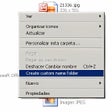
Add a "New Folder" option to Windows Explorer

How to Install Dev Packager on Windows

Understanding your network clearly

Uninstall and reinstall Windows 10 applications

Kingston SSD Manager

Store and extract compressed files

Make sound better than ever!

Transfer Outlook data into PST format easily

Extract messages and attachments from OST files easily

Explore and navigate Outlook data files messages easily

Merge multiple PDF documents into one file quickly

Open and View MBOX Files

View MSG Files without Outlook