




3.7
Free
Theme of iPhone 17 Pro Max
A smooth iOS-inspired personalization app


Safe & trusted downloads
The best software, verified by experts
<h2>iOS-style launcher with integrated Control Center</h2>
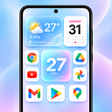
OS 27 Launcher, from True Global Labs, is a home-screen replacement that reproduces the iOS look and navigation on Android devices. The app replaces the default launcher to offer iOS-like gestures, a swipe-down Smart Search, and an integrated Control Center for quick toggles. It bundles custom widgets and theme choices tuned to the iOS aesthetic. The launcher targets Android users who prefer Apple’s interface, former iPhone owners, and personalization enthusiasts seeking a visual overhaul.
The launcher aims for high-fidelity replication of iOSstyle by applying icon shapes, system-like themes, and curated wallpapers that match that visual language. It provides a single package that attempts to reproduce the look and many navigation gestures found on iOS devices, and the developer advertises smooth animations as part of the design goal.
The launcher supports explicit customization controls: it accepts custom icon packs, lets users rename or hide specific apps, and includes an App Library that automatically categorizes installed applications. Custom widgets that mimic the iOS variants are available alongside standard Android widgets; these options let users adjust icon sets, labels, and home-screen grouping without modifying core system files.
The launcher is described as lightweight and optimized for smooth animations, so it runs as a replacement home app rather than changing underlying system components. It requires Android 5.0 or higher for full feature support, and because it functions as a launcher process, it relies on normal background behavior for responsiveness and battery use rather than installing system-level hooks.
Setup is pitched as quick for everyday users, with the launcher offering its own widgets while still supporting standard Android widgets. Assistive Touch supplies a floating shortcut menu for navigation and shortcuts. Compatibility varies by device model and Android build, but the launcher keeps customization within the home-screen layer so existing apps and widgets continue to function.
OS 27 Launcher is a practical option for former iPhone users and personalization fans who want an iOS-style home screen on Android. Expect a straightforward trial by running it without setting it as the default home app, then switch system defaults if satisfied. Note that user reports mention advertisements within configuration menus as a trade-off for the app’s broad visual features.
Free
A smooth iOS-inspired personalization app

Free
Transform your device into an iOS experience

Free
Inspiring Quotes App for Daily Motivation

Free
Launcher inspired by Apple’s liquid glass design

Free
iOS-style home launcher for Android with integrated Control Center
Free
iOS-style launcher for Android with Control Center