3.2
Trial version
Noise Ninja
Noise Ninja: Advanced Noise Reduction for Photographers


Safe & trusted downloads
The best software, verified by experts
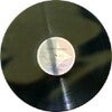
<h2>DeNoise: Surgical noise removal for vinyl and tape transfers</h2>
In a quiet room while you digitize a vinyl side, DeNoise by Brian Davies is a macOS utility for removing continuous broadband noise from recordings. The tool applies FFT-based noise reduction with noise sampling and real-time preview so you can tune removal before committing. It offers adjustable reduction levels, a separate DeNoise LF module for low-frequency hum, and batch processing. You hear changes instantly and retain original timbre during reduction.
When you need to remove steady tape hiss, surface noise, or electrical hum from analog transfers, the app targets continuous broadband disturbances using an FFT-based noise reduction algorithm. It comes from a suite created by a mathematician to serve vinyl-to-digital and tape-digitization workflows. For transient defects such as clicks and pops, you rely on a separate companion utility rather than this tool.
The tool works with uncompressed audio containers such as AIFF, WAVE, and AIFC, and it does not accept compressed formats like MP3 directly. It runs on Mac but requires a Java Runtime Environment to operate. For multi-file projects you use the app's batch processing mode so you can queue several transfers for unattended cleaning.
You get precise control with adjustable reduction levels, noise sampling, and a real-time preview, which favors meticulous listeners and archivists. The developer's mathematical focus produced algorithms tuned for transparency, so experienced users gain more from manual profiling than newcomers. Expect a modest learning curve and the need to install Java; casual users may prefer editors that bundle noise tools with simpler workflows.
The app emphasizes audio transparency and aims to preserve the original character of recordings while reducing noise, reducing common 'underwater' artifacts. Its Java implementation is lightweight enough to run on legacy and modern hardware, and real-time monitoring lets you audition changes before committing. Batch mode speeds throughput for archive work, so throughput scales when you prepare many sides or tapes.
If you want a surgical, transparency-focused noise utility and you are comfortable maintaining a Java-based tool and companion apps, this is an effective gateway into serious analog restoration. The project is no longer receiving active feature updates, so you accept responsibility for compatibility and workflow choices. It suits archivists prepared to curate their toolchain.

Download Adobe Photoshop for Mac : A powerful graphics and photo editor
.webp)
Unleash your creativity with Adobe Photoshop Lightroom for Mac

Comprehensive Update for Adobe Photoshop on Mac

Central distribution platform
Versatile image processing for scientific and creative use

Free Templates for Flash Photo Galleries

Create Stunning Photo Albums with PhotoBook

The simple way to resize your images

FlickrExport: Streamlined Photo Management for Mac

Powerful picture viewer for Mac OS X

Enhance Your Photos with Aperture BorderFX Plugin

Pipette: Lightweight color picker for precise palette capture on Mac

Free Photobook Application

Drag, drop and resize