0.5
Trial version
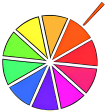
Painter's Picker
A wheel to quickly choose your color


Safe & trusted downloads
The best software, verified by experts

<h2>Pipette: Lightweight color picker for precise palette capture on Mac</h2>
Pipette by Stefan Trost Media helps you capture exact colors from anything on your screen, turning visual inspiration into usable values for design and video work. The app identifies pixels and converts colors in real time across common formats, and it copies values to the clipboard with one click for quick transfer to other tools. Targeted at web designers, graphic artists, and editors, Pipette shortens the gap between observation and technical color definition.
To capture a color you press and hold the app's capture button, drag the cursor to the desired pixel, and release to record the value. Captured colors are stored automatically in a persistent color list and can be transferred with a single copy action. This capture-to-save flow matches common quick-matching tasks, letting you move from seeing a tone to keeping it in a portfolio within seconds.
The app supports multiple models beyond basics, so you can inspect values in formats used for print and web. Supported models include:
Real-time conversion between these representations lets you compare numeric differences without manual calculation. That makes it straightforward to copy a CSS-ready HEX or check a CMYK approximation for print assets.
The app presents a minimalist window with direct sliders for manual adjustments and a small suite of supplementary tools, including random color generation and color theory charts. The portable build runs from a folder or USB stick without formal installation, which supports hopping between machines. Expect an extremely low system resource footprint during use, so the capture tool does not tax an entry-level desktop while you sample colors from large images.
If you are a web designer, graphic artist, photographer, or video editor who needs immediate, accurate color values, the app fits that fast step of your workflow. It helps move from a screen sample to a working value quickly. Those who require an integrated color-management pipeline, ICC-profile handling, or team-synced palettes find the app less focused on those advanced production needs.
If you work alone and value rapid, low-overhead color matching during design or editing, this app is a pragmatic gateway into pixel-accurate palettes. If your projects demand integrated color-management pipelines, ICC-profile workflows, or team palette synchronization, expect to outgrow it; in that case look for tools built around collaborative production and profile-aware output. You get a gentle on-ramp away from heavier suites without adding complexity to daily work.
Download Adobe Photoshop for Mac : A powerful graphics and photo editor
.webp)
Unleash your creativity with Adobe Photoshop Lightroom for Mac

Comprehensive Update for Adobe Photoshop on Mac

Central distribution platform
Versatile image processing for scientific and creative use

Powerful 3D particle system for Adobe After Effects

Quickly present your photos and movies with style

Convert your photos into pencil and watercolor sketches

Free application to learn Lightroom 4 tools and techniques

Convert SWF to FLA on Mac
Resize, watermark, frame

A fun digital comic viewer
Crop and more, without the fuss