




3.5
Free
ISO to USB
Make your USB bootable


Safe & trusted downloads
The best software, verified by experts
Software to install Windows from a USB device
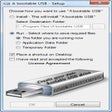
WinSetupFromUSB is a software bundle that allows users to install numerous versions of Windows onto an operating system with the use of a USB storage device. This is an excellent tool in the event that a system has irreparably crashed or if a standard CD is no longer available. The entire project was started as far back as 2006.
WinSetupFromUSB can be thought of as an extra level of redundancy to help protect Windows users from a complete loss of their files. One of the main advantages of this platform is that it has the ability to support most versions of Windows developed after Windows XP. Please note that it is also able to handle many applications associated with Linux and DOS. Recent updates have enabled this app to support both 32- and 64-bit versions of Windows.
WinSetupFromUSB is able to boot from both BIOS and (U)EFI modes. While its core components are associated with the restoration of Windows systems, it is capable of handling many other ISO files if required. Examples include Arconis, Paragon and Ultimate Boot CD. A final interesting feature is that users can also choose to transfer Windows installation files onto an additional USB storage device.
Free
Make your USB bootable
Free
Create bootable pen drives with WinToFlash

Free
Free Windows installation program
Free
Create Bootable USB Drives Easily

Free
Free USB operating system service
Free
Create Bootable USB Drives Easily

Efficient Management Tool for Surveillance Systems
Streamlined system customization and cleanup

Displays the ProductID and the CD-Key

Create fantastic 2D designs in almost any form

Free and Simple PC Shut Download Tool

Control your phone from your PC
Efficient CLI Tool for PDF and Image Manipulation
Streamlined USCIS Petition Preparation Tool
Streamline Collaboration with OpenCoWork
Efficient File Management for Cloud Storage
Efficient Weather Tool for Command Palette