




5
Free
What To Do
Efficient Task Management with What To Do


Safe & trusted downloads
The best software, verified by experts

Secure note-taking for everyday use
Turtl is a free privacy-focused note-taking program designed to help users store ideas, bookmarks, passwords, and documents in an encrypted space. It provides a clean and organized workspace that supports individuals managing personal notes or collaborative projects. With its emphasis on data protection, the program appeals to users who want control over their information.
Turtl offers cross-platform access, allowing users to sync and manage notes across devices. The program encrypts data before it leaves the device, ensuring secure storage and sharing. Its simple layout and tagging system keep content organized, making it a practical tool for daily digital note-keeping.
Turtl provides end-to-end encryption for all stored notes, files, and passwords, ensuring data stays protected from third-party access. Its interface uses boards and cards to separate work, reminders, and research materials, and it supports attachments for added convenience. However, the program offers fewer advanced editing features than many users may expect, and its syncing options feel basic for power users who need more flexible or robust cross-device performance.
Collaboration is available through shared boards, allowing teams or partners to work on notes together without sacrificing privacy. It ensures shared information stays encrypted, creating a secure space for group tasks. Its tagging and filtering tools help users quickly locate items, but the program suffers from limited integrations with third-party apps, which can hinder workflow for those needing broader connectivity and smoother coordination across different productivity tools.
The program is open source, allowing anyone to review its code and verify its security claims, which adds transparency and trust. While feature-rich, users seeking advanced editing tools or seamless integration with major productivity suites may encounter limitations. Alternatives such as Standard Notes, Joplin, or Simplenote provide different organizational structures, enhanced editing options, and more robust syncing approaches, making them better suited for users requiring broader compatibility and flexibility.
Turtl is an excellent choice for users who prioritize privacy in their digital note-taking routines. Its end-to-end encrypted storage, cross-platform access, and open-source foundation provide a reliable and secure environment for managing both personal and shared information. Although it lacks some advanced productivity integrations, it remains a dependable, focused, and straightforward tool for organizing sensitive notes efficiently without unnecessary complexity.
Free
Efficient Task Management with What To Do
Free
Simple utility for taking quick notes

Free
Butterfly Nightly: An Intuitive Note-Taking App

Free
Efficient Note-Taking with Knowte for Windows

Free
Efficient Note Management with Lexorium

Free
Comprehensive Note-Taking with TriliumNext Notes

Gather ideas, view documents and organize your thoughts

A simple and very useful reminding tool
Set up alerts for tasks, meetings and special events

Calendar and to-do list on your USB drive

A small, functional calendar for your desktop

Easy access to a calendar through an icon in the system tray

Xmind: Collaborative Mind Mapping Made Easy

Easily create lists and stay organized

Multimedia calendar and personal organizer with voice recording and much more
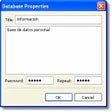
Keep your sensitive information secure

Synchronise Outlook with Google Calendar
Plan projects, remember responsibilities, and record accomplishments