





4.2
Free
FromScratch
Efficient Note-Taking with FromScratch


Safe & trusted downloads
The best software, verified by experts

Comprehensive Note-Taking with TriliumNext Notes
TriliumNext Notes is a powerful open-source application designed for hierarchical note-taking. It allows users to create a structured personal knowledge base, making it an ideal tool for documentation and organization of information. The app is cross-platform and available for Windows, providing a user-friendly interface that supports markdown and WYSIWYG editing. With features like scriptability and local-first storage, users can customize their experience and maintain control over their data.
The application excels in its ability to build knowledge graphs, enabling users to interlink notes and create a web of information that is easy to navigate. TriliumNext Notes is particularly beneficial for users who need a robust note management system, whether for personal use or collaborative projects. Its self-hosted capabilities further enhance its flexibility, making it suitable for a variety of use cases.
Free
Efficient Note-Taking with FromScratch

Free
Comprehensive Note Taking with Joplin
Free
Efficient Note-Taking with Knowte for Windows
Free
Efficient Note-Taking with Flashnote Portable

Free
Butterfly Nightly: An Intuitive Note-Taking App

Efficient Management of Local Admin Permissions
Easily remove applications from your PC

Uninstall programs, kill process and tweak start-up settings
Recover the basic functions of Windows
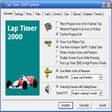
Accurate lap timer for race fans
Recover digital images that have been corrupted on memory cards

Comprehensive Ad Blocking Solution for Windows
Efficient Utilities Tool for Windows Users
Comprehensive Diagnostic Tool for Installers

Gonzo: A Go-Based TUI Log Analysis Tool
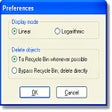
See where your hard drive space is being used

AquaShell: A Versatile Scripting Shell for Windows