




3.7
Trial version
Recolored
A free Design & photography program for Windows


Safe & trusted downloads
The best software, verified by experts

Comprehensive Overview of Tint Photo Editor
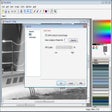
Tint Photo Editor is a free multimedia software designed for Windows users, specifically within the photography category. This program offers a range of features aimed at enhancing and editing images effectively. Users can apply various filters, adjust colors, and modify brightness and contrast, making it suitable for both casual users and photography enthusiasts. Its intuitive interface allows for a seamless editing experience, enabling quick access to essential tools and functions.
The software stands out due to its user-friendly design and accessibility, catering to individuals looking for straightforward photo editing solutions. Being free to use, it provides an excellent entry point for those new to photo editing or those seeking basic image enhancement capabilities without the need for expensive alternatives. Overall, Tint Photo Editor serves as a practical tool for enhancing photography projects.
Trial version
A free Design & photography program for Windows
Trial version
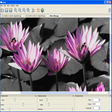
Explore Colors with Tintii Photography Software

Free
Unveiling Photo! Editor's secret toolbox

Free
Explore Fractal Art with Apophysis
Free
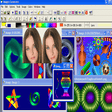
Powerful graphic editor of wide scope that let you to create art, portraits, clips, 3D models, technical drawing and others

Free
Add effects and modify your photos with ease

A free direct flowchart editor app

Sequential image viewer, great for comics

Versatile and easy to use diagram editor
Photo Collage Creator - Create perfect photo collages in no time!

A free tool for converting PowerPoint files to video files
Create albums, postcards or posters with your favorite photos

Create photo slide shows with a variety of effects in macromedia flash file format

Quick and easy photo converter tool
Transform photos into interactive slideshows

CameraBag: A Comprehensive Photography Tool

Free Multimedia Tool for Creating Images

Now beginners can manage their photos easily