
4.4
Free
Kinemaster for Pc - Download For Windows/Mac
Desktop video editing made accessible and efficient


Safe & trusted downloads
The best software, verified by experts
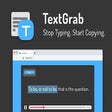
No More Typing the Words to a Video or Image With TextGrab Extension
TextGrab is an easy-to-use tool that allows you to swiftly select and copy text from images, videos, and PDFs hassle-free. Say goodbye to the tedious task of manually typing notes. Perfect for students attending online classes and professionals participating in meetings and training, it seamlessly integrates with popular streaming and communication platforms such as YouTube, Google Meet, and Zoom.
How can I use TextGrab?
A) Full Element Selection
1️⃣ To use the full element selection mode, you need to first turn on the full element selection mode. You can do that by pressing Alt + C on Windows or Option + C on Mac.
2️⃣ Once you press Alt + C on Windows or Option + C on Mac, you can click the image/video you want to be able to select text on. This will make the image/video be in the selection mode.
3️⃣ Select the text you want to copy by using your mouse.
B) Snip Tool Selection
1️⃣ To use the snip tool selection mode, first turn on the snip tool selection mode. You can do that by pressing Alt + T on Windows or Option + T on Mac.

Explore a fun plug-in
Desktop video editing made accessible and efficient

Efficient HTTP Header Management with Netmirror Extension

A free app for Chrome, by Zoomcorder.com.

Epson L380 printer troubleshooter

Cute and Colorful Cursors

Enhance Developer Trust with DEV Layer

Optimize Your Browsing with Tab Suspender

Instant SQL Error Explanation Tool

HTML-Table Scraper Extension for Google Chrome

Browser-Proxy - How to Modify AJAX Requests in a Browser

Comprehensive Link Counting Tool for SEO

Efficient Open Graph Metadata Inspector

Comprehensive GitHub Stack Analysis Tool

Prettier Now: Browser Extension for Code Formatting

How to Use ProWritingAid to Check Your Grammar

VK Blue - EQ & Scrobbler for VK.com