

Subs Translate for Chrome
Subs Translate for Chrome from cLe0
- Free
- 4.5
- V 1.2.2
Subs Translate for Chrome from cLe0
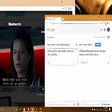
Subs Translate is a free online tool that provides subtitles directly from web pages for online video services such as Netflix, HBO, YouTube, and Amazon Video. It is free to use for any video source that has a web page.
In order to use Subs Translate, you need to make a few settings for the application. The settings can be found in the options menu.
To start using the tool, you need to open the settings, then you need to select the source of the video. Then, select the subtitle container and the desired language.
It is recommended to use a translation service such as Google Translate to convert the subtitles into a language you are more familiar with. It is also recommended to choose the default settings.
Also available in other platforms
Subs Translate for Chrome
- Free
- 4.5
- V 1.2.2
Top downloads

CapCut
CapCut Video Editing Extension

Adobe Express
Adobe Express: A Versatile Content Creation App for Chrome

Volume Booster for YouTube
Volume Booster for YouTube

Gravit Designer
Versatile vector design for interactive graphics

PNG to PDF Converter
PNG to PDF Converter: Convert Your PNG Images to PDF Instantly
Discover more programs

Material Space Webclipper
- 4.9
- Free
Material Space Webclipper Overview

Snake Blocker
- 4.5
- Free
Snake Blocker Extension Overview

Code2Snippet
- 4.9
- Free
A free app for Chrome, by kuaima.

Bike Trials Offroad Game
- 4.8
- Free
Bike Trials Offroad Game on Chrome Browser

Zonpilot Product Research - Product Scanner
- 4.2
- Free
Zonpilot Product Research - Product Scanner
IP address to Emoji
- 4.5
- Free
IP address to Emoji

Badarom Desktop Streamer
- 4.8
- Free
A free program for Chrome, by support.

HouseGuesser
- 4.4
- Free
HouseGuesser: A Real Estate Price Guessing Tool

Non-Desk News
- 4
- Free
Non-Desk News: Stay Informed on Remote Employment and Staff Management

wowtbc equipper
- 4.9
- Free
A free app for Chrome, by anbo89.

DraftCheck
- 4
- Free
A free app for Chrome.

peritas
- 4.2
- Free
Run your code snippets easily in a browser