



4.2
Trial version
Stomp
Optimize your videos


Safe & trusted downloads
The best software, verified by experts
Stomp takes in big videos and spits out small ones, and does it so easily, even Grandma can do it. A helpful list of included presets for popular devices (iPhone, iPod Touch, iPod Video, Apple TV and YouTube) make converting videos a snap. Creating presets is as simple as 1 – 2 – 3 and you can save them into preset folder for managing multiple presets.
Batch processing takes Stomp to a whole new level. Feed Stomp a list of videos, choose your format and walk away. Stomps intelligent batch processor makes quickwork of even the longest conversions, all without any user intervention.
Stomps single-window interface means you’ll never need to search for the right sub-menu; everything is right in front of you. But don’t let looks fool you, that single-window is where all of the power lives…
Leverage the impressive Core Image effects built into OSX for your videos. Want to add a blur? Correct colors? Change a bit of gamma (what’s a bit of gamma between friends)? Stomp makes it easy with simple to use effect GUIs — you can even stack multiple effects at once.
Dead-easy crop. Drag a box around your video and Stomp crops the movie. That’s it, no more searching for parameters or pixel width. You can also scale videos with a single click. Manipulating your videos has never been this easy.

Tangerine! - Multimedia Software for Mac

Add chapters to your MOv, AVI, and MP3 files

Convert OGM and MKV files to AVI to play on DVD
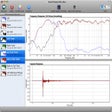
Complete acoustic toolbox

Comprehensive Video Conversion for Mac Users

Convert DRM to MP3

Record your Mac Skype phone calls

OnAirRecorder: Multimedia Recording for Mac

iRingtones: Custom Ringtone Creator for Mac
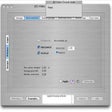
Clean your video files