

SmartRoster for Windows
- Trial version
- 4.5
- 239
- V 2.3
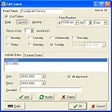
Smartroster is the best new way to create personnel schedules for churches, non-profit and commercial organisations!
First define your events and roles, add your people and specify when and how they wish to participate by nominating their events, roles, availability/absences, and work association preferences. Then set the period you wish to schedule and hit the AutoFill button to create the schedule. SmartRoster will cycle through many different schedules and automatically choose the best one, balancing the workload as evenly and fairly as possible, while respecting work association preferences. You can schedule completely manually, using the drag-and-drop interface, completely automatically, or any combination in between.
SmartRoster for PC
- Trial version
- 4.5
- 239
- V 2.3




Discover more programs
Note Mania
- 3.4
- Free
Easy yet full featured personal information manager
Lightning
- 3.7
- Free
Add a complete calendar to Thunderbird

StickyNotes
- 4.5
- Free
StickyNotes: A 3D Note-Taking Solution
Easy To-Do Lite
- 5
- Free
Easy planning of your tasks and schedule

LS Addressbook
- 3.5
- Free
Contacts agenda that can be exported in TXT and CSV format
Cactusus
- 2.2
- Free
Keep important notes directly on the desktop

Timexam
- 4.6
- Trial version
Personal timetracking application
Hronos
- 4.5
- Free
Measure the time you spend on each application
CalendarPro
- 2.3
- Trial version
System tray calendar with reminders

Knot
- 3.6
- Free
A handy virtual sticky note tool

Sciral Consistency
- 3
- Free
To-do list manager for repetitive tasks