


2
Free
TK8 EasyNote
Put notes on your desktop


Safe & trusted downloads
The best software, verified by experts
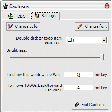
Cactusus is a todo manager developed as a replacement for "sticky notes" on your desktop. Just a text taking quite a little space and always staying on top.
For each note your can define:
Notes can be dragged by mouse to desired location on screen. To access a note context menu drag mouse over note text and when mouse pointer turns to "hand" - right-click.
You can define two system wide hotkeys for more handy operation:
Marking notes as "Done" means that note information will be written to "cactusus.completed" file for possible references in future. This file is located in your My Documents folder.
Excellent virtual sticky notes tool
Easy planning of your tasks and schedule

Contacts agenda that can be exported in TXT and CSV format

Personal timetracking application
To Do list manager with many special features

Efficient Task Management with Tudumo
Keep all the information you need to remember on your desktop
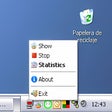
Measure the time you spend on each application
System tray calendar with reminders
A handy virtual sticky note tool

To-do list manager for repetitive tasks