




4.9
Trial version
MMT Account
MMT Account Trial Version for Windows


Safe & trusted downloads
The best software, verified by experts
A simple digital space for drawing and sketching
Sketch Board is a free, lightweight drawing application designed for quick sketches, notes, and simple visual ideas. It provides a clean workspace where users can draw freely using touch, mouse, or stylus input. Its straightforward interface makes it easy for people who need a basic digital canvas without complex tools.
Sketch Board supports basic drawing tools, letting users sketch, erase, adjust strokes, and work on a blank canvas. The program focuses on simplicity, offering a distraction-free space for visual ideas. Available through the Microsoft Store, it runs smoothly on Windows devices and remains accessible for everyday creative or note-taking tasks.
Sketch Board includes basic drawing tools such as a pen, eraser, and adjustable brush settings. Users can create simple illustrations, digital notes, or quick outlines, but the toolset is limited and offers no advanced editing features. Its interface mirrors a traditional sketchpad, keeping the workspace clear and focused. Designed for Windows devices, it supports stylus input on touchscreens, though its simplicity can restrict more detailed work.
The app allows users to save drawings for later use, making it convenient for drafting ideas or capturing simple visual notes. Its lightweight design loads quickly and avoids complicated setup, but the minimal toolset limits detailed work. The program is not suited for professional illustration and lacks collaborative functions, making it better for personal sketches rather than team use or advanced creative projects.
Alternatives depend on user needs. Apps such as Microsoft Whiteboard support collaboration, while Autodesk SketchBook offers advanced drawing tools suited for artists. Paint.NET provides more editing options for those needing layered work or detailed adjustments. This program remains helpful for users who simply want a no-frills drawing area for quick sketches, note-taking, or basic visual ideas without the complexity found in more feature-heavy applications.
Sketch Board is a simple and reliable drawing app ideal for users who prefer a clean digital canvas without complex features. It supports stylus, touch, and mouse input, offering flexibility across various Windows devices. While it cannot match advanced creative tools, it performs well for everyday sketches, quick notes, and basic visual planning, making it a steady option for straightforward drawing tasks.
Trial version
MMT Account Trial Version for Windows

Free
Advantages of UniPDF PDF to PNG Converter

Free
Enhance Your Images with AI Image Enlarger
Paid
Advantages of Docs for Microsoft Office

Free
Manage PDF documents

Free
Professional and cost-free PDF editor
Fast document reading and seamless PDF control
Free Software Application to View PowerPoint Files
A lightweight, tabbed alternative to classic Notepad
FILEminimizer - Compress your PDFs, Office files and image files by up to 90%
Enjoy Microsoft Office in the cloud!

How to Use the Connect to Sony Feature on Windows

A premium and professional office suite for Full HD and widescreen monitors.

A free app for Windows, by AbleWord.
Your PDFs Should Not Eat into Your Disk Space Anymore

Batch replace image in Word documents
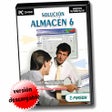
Free Comprehensive Warehouse Management Tools

Zoom Rooms for Business - Advantages of Using Microsoft Office Suites