

3.8
Paid
Microsoft PowerPoint 2016
Presentation software for structured visual communication


Safe & trusted downloads
The best software, verified by experts

Presentation control for clear slide narratives
Unlock 9% Savings
Use code: G2A9SOFT
Microsoft PowerPoint is a presentation tool for building slide-based briefings, lessons, and walkthroughs. It supports tight structure through Slide Master layouts and Theme Variants, helping decks stay consistent as they grow. For teams that rely on repeatable reporting or training, it keeps content organized without forcing a rigid template.
Delivery tools matter: Microsoft PowerPoint pairs Presenter View with Speaker Notes so speakers can pace sections and stay on script while the audience sees slides. Editing is fast with Chart tools for data and Embed video/audio for demos. It suits anyone who needs clear sequencing, controlled emphasis, and dependable playback.
Microsoft PowerPoint centers on slide mechanics that reward planning: sections, reusable layouts, and precise object control for dense explanations. The Selection Pane helps target specific elements in crowded slides, while the Animation Pane keeps multi-step reveals predictable during demos and training. Compared with Google Slides or Keynote, it offers tighter sequencing when a deck must follow a strict narrative. The upside is reliable control; the downside is more upfront effort until a repeatable template is established.
Once a deck is shared, Co-authoring and Version history reduce merge chaos and make changes easy to audit. That fits recurring reports where the same core slides evolve, not just one-off talks. It also supports building quick diagrams with SmartArt, which is useful when content needs a clear hierarchy or process flow. Performance usually stays steady as content grows, but large media and heavy fonts can bloat files and slow syncing. LibreOffice Impress is a workable fallback, though format fidelity can vary across mixed environments.
During delivery, disciplined motion matters more than flashy effects. The Morph transition can communicate before-and-after states smoothly, and tight timing keeps attention on the message rather than movement. For distribution, Export to PDF creates a stable handout for stakeholders who only need the final deck. The benefit is repeatable pacing and dependable playback; the drawback is that results still depend on restraint, since overstuffed slides and excessive motion can dilute key points. For quick drafts, Google Slides may be faster, but sequencing control is thinner.
Microsoft PowerPoint remains a dependable option for building slide decks that need clear sequencing, repeatable structure, and controlled delivery. Its planning-first workflow supports detailed briefings, training content, and status reporting without forcing users into a single style. Collaboration and export options keep handoffs smooth when a deck must travel across teams. Recommended for users who value predictable playback and fine-grained control over how information unfolds. Less ideal for quick, throwaway decks and pitches.
Unlock 9% Savings
Use code: G2A9SOFT
Paid
Presentation software for structured visual communication
Paid
Download Microsoft PowerPoint 2010 for Windows: A comprehensive guide
Free
Microsoft PowerPoint Viewer 2007 for Windows: Seamless slide viewing

Free
Enhance Your Office Experience with Apps Store
Paid
Integrated suite for everyday office work
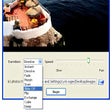
Free
Photo slideshows reborn

A reliable spreadsheet classic built for productivity

A classic foundation for modern writing
A classic writing tool that balanced power and simplicity

Connected tools for modern team workflows
Spreadsheet power inside the browser
Integrated suite for everyday office work

Free scriptwriting software
viewing, comment, editing, signing, filling form, and sharing PDFs on Windows
Enhance Your Presentations with ZoomIt Portable

Comprehensive Presentation Software for Windows
Efficient Menu Creation for Dining Establishments
Kaizen OCR is a comprehensive Windows desktop software that extracts text from images and PDFs using advanced OCR technology. Fully offline, 100% private, with support for 100+ languages.