


3.5
Free
Ammyy Admin
A simple yet powerful free remote access software


Safe & trusted downloads
The best software, verified by experts
Remote PC and screen-sharing app
ShowMyPC is a an application designed to help users connect their computers to another via the internet. Free and open-source, it offers remote access and screen sharing services to its users. It is easy to use and even allows you to connect with multiple computers, which is convenient for online conferences. However, it does not offer features common to remote access software, such as file sharing voice over IP.
Setting up the app is relatively easy. You only need to download and install it on your computer, and you are good to go. However, if you want to use the platform for screen sharing, the meeting participants need to install the software. There is an option to send web links rather than have the participants download the software. Unfortunately, it is only available on the Premium version.
To set up a screen share, click the Start a Meeting button. You can also decide whether you will allow the other participants remote access to your mouse, keyboard, and files. The app will then provide a password, which you can share with the other participants of your online meeting.
As noted, the app also allows remote control access. You only need to click the View Remote PC button and type the password provided by the system. There is no need for an IP since ShowMyPC relies on SSH port forwarding. With this, you will not need to input more information about your target PC besides the randomly generated password.
ShowMyPC comes with a simple, if not outdated, interface. With this, you can set up remote access or a screen share easily. Moreover, you can share your screen with an unlimited number of remote users, so long as they have the app installed and the password. As noted, you can even allow them access to your peripherals, making it useful for live chat.
However, keep in mind that the free version comes with numerous limitations. For one, it does not support audio. Moreover, running a chat through the program is also only available in the premium plan. ShowMyPC does not have any file-sharing tools built into its screen-sharing side. On the other hand, the remote desktop side is a little more functional.
Here, you can create a shared folder that is mirrored on the host and control computers. Using this, you can transfer files between two devices. The program also allows you to print remotely. However, note that the remote access feature is not available on the free version. You need to subscribe to the premium plan to get this service. Also, there is no voice-over IP, and the remote desktop package doesn't include text chat.
ShowMyPC uses 256-bit encryption for its remote access. Additionally, it does not store passwords on any of the app's servers. The password for screen-sharing, meanwhile, is generated for every session. However, while establishing a connection is easy, controlling the remote PC is difficult. The connection is slow, and there is a few minutes delay in the action.
If you are looking for a single platform that handles screen sharing and remote access, ShowMyPC is a good choice. The app is easy to use and allows you to connect to multiple computers. However, it does not particularly excel at any of these functions. Both the screen sharing and remote PC comes with limitations that you can only do a few tasks. All in all, there are better options available that do not cost much.
Free
A simple yet powerful free remote access software

Free
Remotely access another computer

Free
TeamViewer - fast and easy remote access
Free
Remote desktop software with Active Directory support for Windows domain network
Free
Magic whiteboard for use over networks
Free
Simple and secure remote connectivity

Unlocking superior remote host management capabilities

Effortless Remote Support with HelpWire
Remote Desktop Manager is an application used to manage all your remote connections and virtual machines. Add, edit, delete,
Connect To Another Computer Remotely
Wake up PCs remotely
Universal TCP/IP patch for personal and professional use

Control devices remotely with TeamViewer Touch for Windows 8
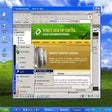
Displays a screen of another computer on your screen
A Great Remote Support Tool for IT Professionals
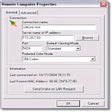
Complete remote network torubleshooting

A Trial version Networking program for Windows