

4
Free
TeamViewer
TeamViewer - fast and easy remote access


Safe & trusted downloads
The best software, verified by experts
Control devices remotely with TeamViewer Touch for Windows 8
TeamViewer Touch for Windows 8 is a free app that allows you to remotely log in to and control another computer or device. The remote machine must also be running a TeamViewer app, either this one or the TeamViewer desktop app. Once you've logged in to the partner device, you can perform technical support, install new software or just work on remote files.
TeamViewer Touch for Windows 8 allows you to manage devices used remotely by employees or even just provide technical support for a friend. Configuration is simple, so you don't need to be a network expert to set it up. This version of the app is optimized for tablet and touch-screen interfaces, making it easier to use for mobile devices. Connection quality can affect how well the app works, partly because the app uses TeamViewer servers as an intermediary rather than connecting directly to the remote device. Some features (such as adding yourself as a host) require you to set them up in advance on the desktop version of the app, but most are available in both versions.
If you manage only a few devices remotely, or just need occasional remote access to a device, TeamViewer Touch for Windows 8 is a simple, accessible tool that can manage most remote access tasks.
Free
TeamViewer - fast and easy remote access
Free
Comprehensive Review of TeamViewer Portable

Free
A remote solution for your PC

Free
Maximize IT Efficiency with Live Connect
Free
Remote Explorer: Remote Computer Control Tool
Free
Access and control your home PC from another computer

Efficient remote graphics for Windows users

Free Remote PC to PC connection software
Remote desktop software with Active Directory support for Windows domain network
Connect To Another Computer Remotely
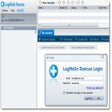
Remotely help friends and colleagues with their computer and phone problems

A Free Networking program for Windows

Smart & easy remote access service for free
CrossLoop: Efficient Remote Control Software
Remotely control your PC from a mobile device
Try A Remote Control Desktop with Multi Client Options
Easily work on a remote PC as on your local
Efficient Remote Control with ThinRDP Server