
5
Free
GoFullPage - Full Page Screen Capture
GoFullPage - Fully Capture Your Page


Safe & trusted downloads
The best software, verified by experts
Capture Any Page From Your Favorite Websites
The extension allows you to capture any page from your favorite websites such as Facebook, Twitter, Gmail, etc.
The first step is to open the website you want to take a screenshot from. Then you need to click on the extension icon in your browser. This will open a new window with the page you want to take a screenshot of.
After that, you need to select the desired screenshot view and then you can either capture the whole page or just the visible part of the page.
The screenshot will then start downloading at the bottom of the browser window. After a few seconds, you can find the downloaded file in your Downloads folder.
You can open it in any image editor and you can then use it to edit your images or use it for other purposes such as creating presentations.

Explore a fun plug-in

Desktop video editing made accessible and efficient

Efficient HTTP Header Management with Netmirror Extension

A free app for Chrome, by Zoomcorder.com.

Epson L380 printer troubleshooter

A free program for Chrome, by Boyswithbeards.

Web Aliases: Create Nicknames for Websites

A free app for Chrome, by Tony Hegewald.

Bleach The Anime Custom Page

Thunderhead ONE Customer Experience Extension

ezCITE Companion Extension

Croosing - A Hyperlink-Based Browsing Solution
TabSaver - A Lightweight Tool to Store Opened Tabs

Boost Your Productivity with Udemivity
Enhanced Image View for Chrome

A free program for Chrome, by maurice.de.beijer.
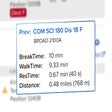
Easy Class Break Extension to Optimize Your Schedule