
4.4
Free
MCEBuddy
Convert captured videos for any media centre


Safe & trusted downloads
The best software, verified by experts
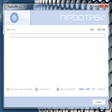
RipBot264: Free Video Encoding Tool for Windows
RipBot264 is a free multimedia application designed for Windows users, focusing on video encoding and conversion. This software provides a user-friendly interface that simplifies the process of converting various video formats, making it accessible for both beginners and advanced users. Key features include support for multiple video codecs, batch processing capabilities, and customizable encoding settings to enhance video quality or reduce file size.
The software stands out for its efficiency and flexibility, allowing users to easily convert videos to different formats suitable for various devices. It includes options for adjusting resolution, bitrate, and audio settings, catering to a wide range of multimedia needs. As a free application, RipBot264 offers a robust solution for users looking to manage their video files without the need for costly software.

The all-in-one solution for media playback

A free high-quality video downloading platform

Download Adobe Premiere Pro for Windows – Professional Video Editing at Your Fingertips

A very powerful and versatile free file converter.

The industry standard for professional motion design
Free
Convert captured videos for any media centre
Free
Bulk rename, resize, rotate or convert your photo files

Free
Efficient Video Conversion Tool for Windows

Trial version
Convert Blu-ray to MKV with Ease

Free
Resize multiple photos quickly and easily
Free
Unlimited video editing

Tunes, movies and more with Media Player

All-in-one Audio & Video and DVD/Blu-ray conversion software.

FonePaw Video Converter Ultimate - Convert, edit and play videos, DVD and audios.

Join multiple files in AVI / DivX, MPEG I/II, DAT, WMV and ASF format

Free Software for Video Editors

Handy software to cut and edit existing video files

Convert VOB files to MPG

Decipher Slow Motion Videos Right on Your Windows Computer

Player for MKV

Comprehensive DVD Authoring Tool for Windows

Cofeshow - Slideshow Maker Review

A hassle-free Flash-to-HTML5 Converter