
4.5
Free
Free Video to HTML5 Converter
Convert Flash .swf to HTML5 easily


Safe & trusted downloads
The best software, verified by experts

A hassle-free Flash-to-HTML5 Converter
Free Flash to HTML5 Converter is a reliable, quick, and useful program to convert SWF files to HTML5 videos. The output file you receive supports a range of major browsers, including Google Chrome, Safari, Mozilla Firefox, Internet Explorer (IE), Opera, and more. You can view these files on iPhone, iPad, and Windows as well. If you’ve been looking for a Flash Converter, this one is a good choice.
HTML5 is considered to be a reliable format for playing multimedia files on websites and blogs. The primary reason is the built-in functionality to play video and audio without third-party plugins. Additionally, when using HTML5, users don’t need to shuffle among multiple plugin tabs, which can be malicious or heavy.
For this purpose, many Windows users prefer to take advantage of video conversion tools. Free Flash to HTML5 Converter is a simple program to turn SWF files into the popular HTML5 format. Since it’s compatible with numerous browsers, you can easily integrate the code into your blog or website.
Until a few years ago, Flash SWF was one of the most popular multimedia file formats for blogs and websites. However, mobile adoption has substantially increased. As such, there are only a few websites that continue to use Flash SWF videos. In case you have a good number of FLASH SWF files on your local computer or website, it’s time to transition to HTML5, the fifth and most reliable generation of HTML technology.
The problem had been that not all browsers used to be compatible with HTML5 markup language. People continued using Flash SWF files on their websites. Fortunately, if you can use Free Flash to HTML5 Converter to turn SWF files into HTML5 multimedia format, the videos will be compatible with all types of devices, including phones, computers, and tablets. At the same time, the output files you receive will be compatible with leading web browsers.
While plenty of good options are online, this one is a product of ThunderShare, a reliable and leading development team with multiple Windows utilities and tools. Moreover, when compared to programs like Free Video to Flash Converter, Free Video to HTML5 Converter, and Free Flash to MP4 Converter, this program offers a cleaner and simpler interface.
When it comes to appearance and aesthetics, the app focuses on a familiar conversion tool pattern. However, what this program lacks in originality or esthetics, it makes up for in features, accessibility, and easy usage. Whether you’re an experienced IT professional or a casual Windows user, you won’t experience any issues with Flash Converter download.
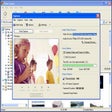
The main window of the program lets you conveniently load the SWF source files. You need to work with only three tabs, including ‘Setting’, ‘Edit’, and ‘Import’. These tabs let you configure the conversion process while focusing on obtaining a satisfactory result. Simply put, with Free Flash to HTML5 Converter, the video conversion process feels like a breeze.
Unlike other free programs in this category, Free Flash to HTML5 Converter supports both single and batch mode. However, the two options have some subtle differences. For instance, when you choose to process files in batches, they’re all submitted with the same set of preferences. Moreover, you can’t preview these files.
On the other hand, when you use single mode, the program lets you preview or play the Flash SWF files in the built-in viewer. From the tool’s ‘Edit’ section, you can add a watermark or logo onto the video’s surface. You can even crop out a certain portion of the screen. However, the program doesn’t let you change the transparency, which could be an issue for some users.
While the output file is released in HTML5 format on default, you can choose from multiple browser and video format compatibility options. This option lets you play the video on different devices and internet browsers.
With Free Flash to HTML5 Converter, you can define the video tags, including loop, autoplay, controls, quality, and size of the output file. Most importantly, you can insert an audio file, giving you the flexibility to capture only audio to be converted to HTML5 format.
Free Flash to HTML5 Converter is a lightweight program and doesn’t affect system resources. You can use this tool on various versions of Windows, including Windows 10, Windows 8, Windows 7, etc. While using the application, you won’t experience any lags or crashes, something that can’t be said for other free tools serving this purpose.
If you ever want to upload multimedia files, especially videos, to your blog or website, it’s important to give the best user experience to visitors. With this program, you can process media files and convert them to HTML5 format, a reliable and appealing markup language to work with multimedia online.
Overall, Free Flash to HTML5 Converter is a practical Windows utility tool, which can quickly convert SWF videos to HTML5 format. This way, you can easily integrate videos into your blog or website and benefit from a higher chance of browser and device compatibility.
Since HTML boasts the inbuilt functionality to play video and audio without third-party plugins, it’s highly appreciated for playing multimedia on websites and blogs. If you’re still using Flash SWF files on your local computer or the internet, you might be missing out on a better browsing experience. With this Flash Converter download, you can quickly convert Flash files or videos to HTML5 format. Since the software is free, there’s no need to worry about a subscription or payment. You just download, install, and you’re good to go.

The all-in-one solution for media playback

A free high-quality video downloading platform

Download Adobe Premiere Pro for Windows – Professional Video Editing at Your Fingertips

A very powerful and versatile free file converter.

The industry standard for professional motion design
Free
Convert Flash .swf to HTML5 easily

Free
The software that marked a golden era within the Internet.

Free
Convert Flash .swf to mp4 with best output quality

Free
Make videos designed for websites or blogs

Trial version
Create animated web pages and banners

Free
A simple to use application that enables you to play embedded videos while working or playing, without having to use a web b

Seeing Multiple Videos At Once

Save Your Videos as DVD

Gihosoft Free Video Cutter - Cut large videos into smaller pieces, for free!

Split video files into smaller clips

Download Videos from Any Streaming Website Without Compromises

Download online video from YouTube, Vimeo, Metacafe, Facebook, Dailymotion, Vevo, Yahoo.

Versatile Video Conversion with XMedia Recode Portable

Free Video to Audio Converter

convert PS3/PSP, PSP-MP4, and PSP-movie in all formats

TotalD is a free download manager that supports Torrents, Direct Download and online videos.
Simplifies sharing your videos and photos on the Web

Make Your Videos Look Good With This Enhancement Tool