





3.3
Free
Reflect Free CRM Customer Database
Free CRM Software Customer Database Download


Safe & trusted downloads
The best software, verified by experts

Visual CRM built for sales simplicity
Pipedrive Sales CRM delivers a streamlined, visual approach to managing sales pipelines, especially suited for small to mid-sized teams. Designed with usability in mind, it offers a web-based interface that works smoothly on Windows browsers. Its drag-and-drop deal stages, activity tracking, and built-in automation tools help sales teams stay organized and focused.
At its core, Pipedrive uses a Kanban-style pipeline view that lets users manage deals visually, making it easy to track progress and prioritize tasks. Tools for activity reminders, contact history, and team collaboration are available across most plans. Automations, such as triggering follow-ups or moving deals, can be built using a simple, no-code editor. The platform also supports email tracking and customizable dashboards—but these features vary by plan. Advanced reporting and deeper analytics require upgrading to higher tiers. Lead capture options like forms and chatbots are available through the LeadBooster add-on, while full email marketing capabilities rely on the Campaigns add-on.
Pipedrive supports integration with over 300 third-party apps, including Slack, Microsoft Teams, and Trello. Real-time reporting helps track sales metrics, and the Forecast View offers revenue projections based on deal stage. However, lead scoring isn’t natively built in—users must rely on custom fields or third-party tools to approximate it. Additionally, while the platform supports strong deal tracking, it lacks features for managing post-sale workflows or broader project management. Users looking for advanced customization in reports may also find lower-tier plans limiting.
Pipedrive focuses on delivering a clean, functional CRM experience that emphasizes sales workflow efficiency. Its visual pipeline, task automation, and real-time tracking make it a good fit for teams that want clarity without technical overhead. Some features—like reporting depth and lead qualification—require plan upgrades or external tools, but its flexibility through integrations and add-ons helps balance those limitations.
Free
Free CRM Software Customer Database Download

Free
Free and Easy-to-Use Customer Management Tool
Free
NG 2017 ERP/CRM: Free Financial Management Tool
Free
Customer Relationship Management Software for Small Businesses

Trial version
Invoice management, order management, customer management, invoice, customer, vendor
Free
Windows 10 for business
A Free Alternative to Adobe Reader

A nostalgia-inducing PDF reader

Free Software for Managers

How to Convert DXF to G-Code
A presentation for your future
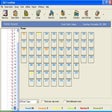
Process your hotel and motel reservations

Print professional looking envelopes and tri-fold mailings easily
Save what you surf
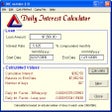
Loan and mortgage software
Shape your ideas in a mind map

A free app for Windows, by Simpo

A Free Productivity program for Windows