

Peacock for Chrome
<h2>Peacock: Chrome extension for instant, balanced team formation</h2>
- Free
- 4.2
- 170
- V 0.4.5
<h2>Peacock: Chrome extension for instant, balanced team formation</h2>
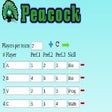
Peacock, developed by Sergey Ivanov, is a Chrome extension for automating group formation in classrooms, projects, and events. The tool generates team assignments with a single click, using participant inputs to balance interpersonal preferences and declared skill levels. Its interface supports quick entry of names, tasks, and attributes, while applying fallback logic when preferences conflict. Educators, project leads, and event organizers gain a browser-resident way to produce balanced groups without spreadsheets.
What is Peacock intended to do for group organizers?
Peacock targets on-the-spot team creation by combining subjective and objective inputs. The extension implements a dual-factor optimization that weighs participant preferences alongside skill ratings to produce groupings. Generation is immediate, triggered by a single action, and the extension's UI focuses on rapid data entry so a coordinator can move from roster to assigned teams in one session.
How does the tool handle incompatible preferences and missing data?
Fallback logic clarifies trade-offs when preferences clash. If the set of preferences cannot be satisfied, the extension applies randomized selection to complete groups. Alternatively, the tool can ignore preferences and compute teams using skill levels only, so organizers can choose strict skill balancing or a preference-aware approach depending on their goals.
Can Peacock be used across devices and browsers in typical setups?
The extension runs inside Chrome and other Chromium-based browsers on desktop, with explicit support across Windows, macOS, and Linux environments. There is no mobile version, so session workflows assume a desktop browser. Because it operates in-browser, coordinators avoid external spreadsheets or auxiliary software when generating teams during live sessions.
What happens to the generated teams and participant data after calculation?
Peacock focuses on real-time calculation rather than persistent storage. The extension does not retain team assignments for future retrieval, and users are advised to record results externally after generation. This design emphasizes instant grouping and transparent grouping logic, but it requires a manual step if organizers need archived records or cross-device continuity.
Peacock is a pragmatic utility for quick, session-based team building
As an independent, single-purpose extension with a personal design intent, the tool fits coordinators who need fast, repeatable group assignments during live sessions. The extension's focused approach and positive user reception make it practical for ad-hoc use; users who require mobile access or built-in archival of results should plan a complementary workflow for record keeping.
Pros
- One-click generation balances preferences and skill levels
- Accepts up to three preferences per participant
- Runs inside Chrome and other Chromium-based desktop browsers
- Simple data-entry interface for quick setup
Cons
- No mobile version, limited to desktop browser environments
- Does not persistently save generated teams; manual recording needed
- Applies random selection when preferences cannot all be met
Also available in other platforms
Peacock for Chrome
- Free
- 4.2
- 170
- V 0.4.5




Discover more programs

Halloween Vampire Couple
- 4.4
- Free
Halloween Vampire Couple Game for Chrome

一键复制京东Cookie
- 4.1
- Free
A free program for Chrome, by odkters.

Night Shift GEMS
- 4
- Free
Night Shift GEMS: Enhance Your Night Shift Experience

알바톡
- 4.7
- Free
알바톡: Simplify Your Job Search with One App

Expanded tweet line-height fix
- 4.1
- Free
A free program for Chrome, by viktoredvardsson.

Đánh Giá Xe AutoComVN
- 4
- Free
Đánh Giá Xe AutoComVN Overview

Research Paper Collector
- 4.4
- Free
Efficient Research Paper Collector

Truck Jigsaw
- 4.6
- Free
Truck Jigsaw: Puzzle Time Challenge

أرباحي - اشعارات متاجر سلة
- 4.7
- Free
أرباحي - اشعارات متاجر سلة

Your Planner Tab New Tab
- 4.1
- Free
Your Planner Tab New Tab Overview

CoComelon Wallpaper Gameograf
- 4.9
- Free
A free app for Chrome.

KeyGuard Secure Web
- 4.7
- Free
A free program for Chrome, by KeyGuard Web Secured.