
4.8
Trial version
iMetaSearch
Search through thousands of search results in a flash


Safe & trusted downloads
The best software, verified by experts
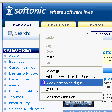
This Firefox extension enables you to create new custom search engines for the browser's search bar in a completely automated way.
Just open the webpage you want to create the new search plug-in for, right click on the keyword input field and select "Add OpenSearch plugin" in the context menu. A dialog will open for you to enter the new search engine name and description.
Once done, you'll have a new search engine to choose in your search bar menu and therefore you will be able to perform searches in your favorite webpages from any site.

Type in a language of your choice

Simplified device management and network configuration

Bringing your apps closer to your browser workflow

Zotero: essential tool for research management

Simplify your life with Google’s digital notepad
Trial version
Search through thousands of search results in a flash

Free
Create a personal search engine using a visual map of context-based tags
Free
Perform automated searches in Internet

Free
Query multiple search engines from your desktop simultaneously

Radiotic: A Free Windows Browser Add-on

Streamline Your Browsing with Digg Toolbar

Efficient Browser Management Tool

Recipefox: A Useful Add-on for Windows Browsers

Efficient Shortcut Tool for Browsing

Provide grab-and-drag type scrolling in Firefox

LinkExtend: A Useful Browser Add-on

Save Your Clips with Eclips

Enhance Your Browsing Experience with Zemanta

Leave comments on any website
Explore Personalization with About:me
Enhance Your Browsing with Tab Kit