

Grab And Drag for Windows
- Free
- 2.5(2)
- 1.1K
- V 1.5.2
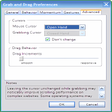
The Grab And Drag extension provides a number of alternative ways to scroll pages in Firefox, Thunderbird, and Flock. It provides Adobe Acrobat-style grab and drag page scrolling and scrollbar-style scrolling initiated by dragging anywhere on the screen. Grab and Drag also recognizes mouse "Flick" gestures for scrolling up, down, left, or right a screenful at a time, and supports page "Momentum", allowing a page to continue scrolling when dragged at a constant velocity and released.
The extension was originally developed for Tablet PC and UMPC users to aid pen-based navigation. There are currently no plans to extend Grab and Drag to activate with the middle or right mouse buttons. If you're interested in this, I recommend the Scrollbar Anywhere extension instead.
The extension provides three ways to easily toggle functionality on and off:
- A toggle icon can be added to the toolbars via View > Toolbars > Customize...
- Alt-Shift-D toggles functionality on and off
- Holding F2 down is a "quick toggle" for quickly selecting text
Grab And Drag for PC
- Free
- 2.5(2)
- 1.1K
- V 1.5.2
Top downloads

Google Input Tools
Type in a language of your choice

Dahua ConfigTool
Simplified device management and network configuration

Google Play Chrome Extension
Bringing your apps closer to your browser workflow

Zotero
Zotero: essential tool for research management

Google Keep
Simplify your life with Google’s digital notepad
Discover more programs

Power Twitter
- 2.7
- Free
Enhance Your Twitter Experience with Power Twitter
Reload Every
- 3.6
- Free
Efficient Page Reloading Tool for Browsers
Remove Toolbar Buddy
- 4.3
- Trial version
Quickly get rid of unwanted Internet Explorer toolbars and add-ons
TermBlaster
- 1.8
- Free
Perform automated searches in Internet

LinkExtend
- 3.3
- Free
LinkExtend: A Useful Browser Add-on

Explore nearby places for Airbnb
- 4.1
- Free
Excellent Free Add-on for Airbnb Shows Nearby Attractions
SiteLauncher
- 3.1
- Free
Efficient Shortcut Tool for Browsing
ColorfulTabs
- 4.2
- Free
Enhance Your Browsing with ColorfulTabs

Zemanta
- 3.8
- Free
Enhance Your Browsing Experience with Zemanta

Eclips
- 4.1
- Free
Save Your Clips with Eclips

iComment
- 3.3
- Free
Leave comments on any website
about:me
- 2.4
- Free
Explore Personalization with About:me