0.5
Trial version
Keyboard Express
Add macros to your keyboard


Safe & trusted downloads
The best software, verified by experts

Professional Macro Recorder software to record mouse, clicks and keyboard actions
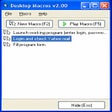
MouseKey Recorder Advanced is a powerful and user-friendly macro automation software that allows you to record mouse movements, clicks, and keyboard actions in real time and play them back automatically to automate repetitive tasks on your computer.
Unlike the basic version, the Advanced edition includes a built-in macro editor that lets you modify and customize your recordings after you’ve finished capturing them, giving you full control over each action in your macro. You can add or remove recorded steps, change key presses or mouse events, and refine the sequence to suit your needs.
Key features include:
Real-time recording of mouse movements, clicks, and keyboard inputs.
Customizable playback, including setting the number of repetitions and playback speed.
Scheduler options to start macros at a specific date and time.
Built-in editor to edit macros after recording, including adding or removing actions.
Save and import macro files so you can reuse or share automations.
Shortcuts: F9 to start recording, CTRL+Space to stop recording, F10 to play a macro
Compatibility with any desktop resolution.
Free virtual keyboard

Mouse and keyboard usage measurement
Add macros to your keyboard
Efficient Multi-Monitor Control Tool
Software to Customise Your Microsoft Mouse

Free software to change the layout of a keyboard
Free GUI for PuTTY and KiTTY
Efficient Keyboard Utility for Windows Users

Set hotkeys to perform common tasks

ControlPad: Advanced Keyboard Utility for Windows

ControlPad: Enhanced Keyboard Utility for Windows

Enhance Your Mouse Control with SlowMousion