





3.7
Trial version
TimeToPhoto
Add Time Stamps to your Digital Photos


Safe & trusted downloads
The best software, verified by experts
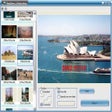
Most of today's digital camera photos are saved in JPG files. The date and time at which a photo is taken are stored along with the image in so called EXIF format. Such date and time information can be viewed on a PC once the JPG files are transferred from the digital camera to the PC.
When you make a hardcopy of a digital photo by using a color printer or by sending it to a photo lab, the date and time do not get printed on the hardcopy photo. By using Magitime, the date and time are extracted from the JPG files and superimposed onto the photos. This way when a hardcopy is made from the JPG file, the date and/or time will show up on the photo.
MagiTime is designed to work for JPG photo files( the most popular digital camera output file format) only, it may work for EXIF conformed TIF photo files, but not for photo files of other formats.
Trial version
Add Time Stamps to your Digital Photos
Trial version
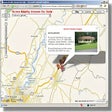
Map your digital photos
Trial version
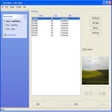
Saves you time by adjusting hundreds of photos at once

Free
Powerful utility for processing AVI DV files

Free
A Free Design & photography program for Windows
Free
Comprehensive Photo Management Tool for Windows

Zoom tool with many options
Create Stunning Mosaics with Andreamosaic

Create a work of art in three easy steps:

Add impressive frames to digital photos, wallpapers or website images

A free program for Windows, by EffectMatrix.
Quickly create custom web photo albums with ease

Amazing photo manager with advanced searching filters

Remove the evil red eye from your pictures

Handy and user-friendly image editing software for personal and professional use

Create art pieces from your photos

Transform your photo collections into slideshows
Create Flash slide shows with your photos