





5
Free
Fatbits
Screen magnifier


Safe & trusted downloads
The best software, verified by experts
Mag magnifies any area of your desktop. Right-Click on the Mag Window for a context menu to adjust magnification from 1X to 8X or to Exit from Mag.
When you exit Mag, it will remember where you left it, its size and magnification last used. The Mag View window can be re-sized by dragging on any corner, or moved by holding the left mouse button down on the viewing area and dragging the view window.
The size of the viewing window is the area magnified. If you want to see a small area, say an icon, size the view to fit. Try to keep the mouse pointer out of the viewing area or you will get a 'cascading window' effect.
Free
Screen magnifier
Free
Easily zoom in on areas of your screen and work with every detail
Free
CPick: A Free Graphic Design Tool for Windows
Free
Capture the color value in any zone of the screen

Free
Enhance Your Photography with Dragnifier

Free
Efficient Color Selection Tool for Designers
RasterVect: A Trial Photography Software for Windows

Picbow is a photo editor.
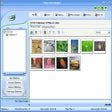
Create Stunning Photo Galleries with Ease
Create photo slideshows and burn them to VCD
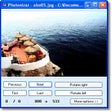
A free app for Windows, by Photonizer.
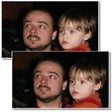
Correct the "red-eye" effect with a couple of clicks
Restore photos that have been damaged by Jpeg compression
Transfer PowerPoint presentations into Flash

Create funny face animations with your photos
Convert raster images to vectors with ease
Create animated Flash photo albums from your favorite digital photos
Change the size of images in a few clicks