




3.1
Free
Images Generator Free
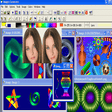
Powerful graphic editor of wide scope that let you to create art, portraits, clips, 3D models, technical drawing and others


Safe & trusted downloads
The best software, verified by experts
Photo Gadget Pro is a shell extension that adds image editing options to Windows Explorer. It can rotate, resize and rename images, add a caption and/or frame and carry out format conversions. To use the program just select images to work with in Explorer's window, right click the selection and choose an action from the context menu.
When adding a caption you can choose between typing in text or using a graphics file. Framing is simple single or double outline where you set the width and colors. Multiple file rename mask is provided with several options including an automatic counter. If you have that kind of camera Photo Gadget Pro can also rotate images based on EXIF information.
Free
Powerful graphic editor of wide scope that let you to create art, portraits, clips, 3D models, technical drawing and others

Trial version
Professor Franklin's Instant Photo Effects
Free
Efficient Image Resizing and Conversion Tool

Free
Create a collage from your photos and save it as a picture frame

Free
A free program for Windows, by L. Madhavan.
Free
A powerful image viewer (and editor) you can put on your USB drive

Software to compress and edit JPEG image files
A trial version Design & photography program for Windows

Powerful application to create multimedia presentations

Text mosaic creation at its best
Add text/image watermark, resize, optimize, rename & convert multiple photos in no time.
A big help for importing images in RAW format
Image browser, searcher and viewer
Powerful tool for animated GIF creation
Turn your photos into funny and morphing movies
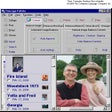
Manage your photo collection more quickly

Convert your image files into auto-executable archives