



5
Free
Holo Launcher for ICS
A free program for Android, by Mobint Software.


Safe & trusted downloads
The best software, verified by experts
iPhone-style launcher bringing iOS visuals to Android
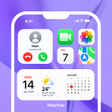
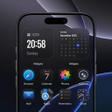
Launcher for iPhone 18 Pro Max applies an iOS-like home screen layout, Control Center, and Dynamic Island-style alerts to an Android device, recreating a conceptual iPhone 18 Pro Max experience in practice. Developed by Ali khokhar as a personalization app, the launcher offers customizable iPhone-style icons, an App Library-style organiser, HD and live wallpapers, and integrated smart search. It fits Android users who want an iOS-inspired interface and are comfortable replacing their home screen behaviour with a themed launcher.
The app replaces the Android home screen with an iOS-inspired layout and App Library-style organisation, so installed apps appear in an iPhone-like grid and a separate app library. It adds a customizable dock and folders, and it implements Dynamic Island-style notifications as interactive elements. These changes affect how you launch apps, view notifications, and access quick controls compared with a stock Android launcher.
Icon and label options allow users to swap to iPhone-style app icons and adjust their appearance, and the launcher includes widgets for clock, weather, and battery. The Control Center gives direct sliders for brightness and volume. The presence of per-element choices, such as dock and folder tweaks, shows the tool exposes multiple visual parameters rather than a single fixed skin.
The launcher runs as a home-screen replacement on Android devices, so it stays active while you use the desktop and manages wallpapers and notification elements. HD and live wallpapers are supported, which can increase GPU usage during active sessions. The app's persistent overlay for Dynamic Island-style alerts and Control Center means it maintains background presence while you interact with the desktop.
Installation and first-run setup are typical for an Android launcher: you choose it as your home app and configure icon packs and wallpapers. Smart Search scans apps, contacts, and messages from the launcher interface. The developer targets modern Android versions, so behavior depends on recent system APIs and launcher overlay permissions; multi-monitor concepts do not apply on mobile devices.
Launcher for iPhone 18 Pro Max is a suitable option for Android users who want an iOS-style visual shell and are prepared to use a dedicated home-screen replacement. It reproduces several Apple-like interface elements in one package, but its active overlays and animated wallpapers can increase resource use on some devices. Users seeking a consistent iPhone aesthetic on Android will find it effective; those sensitive to background GPU activity should test wallpaper and animation settings.
Free
A free program for Android, by Mobint Software.
Free
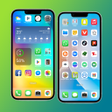
iPhone 14 Pro Launcher: A Vibrant and Minimalistic Experience

Free
The Mini Desktop App for Android Phone
Free
A free program for Android, by Aris Launcher Hacker Themes.
Free
Minimal Android launcher with OS-style home screens
Free
iPhone X Launcher: The Most Beautiful Mobile Screen