ClarityOS Launcher for Android
Minimal Android launcher with OS-style home screens
- Free
- 4.9
- 82
- V 1.2.0
Minimal Android launcher with OS-style home screens
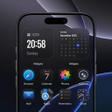
ClarityOS Launcher, from BIG ONE, replaces the Android home screen with a simplified, OS-inspired interface aimed at reducing visual noise and speeding access. It provides a clean layout with gesture-driven navigation and a quick search bar for apps, contacts, and web queries. The launcher presents controls for visual theming and icon replacement so users can alter the look without deep setup. It targets Android users who prefer a distraction-reduced home experience and straightforward daily navigation.
How app arrangement and folders are automated
The launcher uses smart app categorization and automatic folder creation to reduce icon clutter without manual sorting. That automated grouping keeps primary screens focused and helps users locate related apps faster. Practical outcomes include a denser app drawer and fewer home pages to scan, which suits people who want less visual noise without repeatedly organizing icons by hand.
What the launcher adds with widgets and motion
Integrated widgets provide glanceable data through a built-in weather display, clock, and system-status module, consolidating key information on home pages. Smooth animations handle transitions and page changes, creating consistent motion across interactions. Those motion rules reduce abrupt visual shifts and keep attention on content, rather than forcing a full refresh of the home layout after each action.
Performance and compatibility on typical Android devices
The launcher is described as lightweight and optimized for various Android hardware, so it targets broad device support without heavy resource demands. Compatibility notes indicate it supports modern Android versions, which helps with integration on current devices. The developer's portfolio delivers a high degree of visual polish typical of its OS-style launchers, a factor that influences perceived stability and visual consistency on many phones.
How adoption fits into existing personalization workflows
BIG ONE is known for creating a variety of personalization apps, particularly OS-style launchers, which positions this tool within an established customization workflow. The app's approach suits users who already use replacement launchers and want a focused, OS-inspired look. Because it occupies a competitive niche among similar launchers, users should compare its organization and visual polish to other options before making it their daily interface.
A focused choice for users seeking an OS-style, minimal home screen
ClarityOS Launcher is a focused option for Android users who prefer an OS-inspired, distraction-reduced home screen, backed by the developer's portfolio of similar launchers. Given that it sits in a crowded niche of OS-style alternatives, a brief comparison with other launchers helps determine whether its automated organization and visual polish match a user's workflow and aesthetic preferences.
Pros
- Smart app categorization with automatic folder creation
- Supports third-party icon packs and visual theming
- Integrated widgets for weather, clock, and system status
- Described as lightweight and optimized for varied Android hardware
Cons
- Sits in a crowded niche of OS-style launchers
- System requirements vary by device without specific minimums listed
ClarityOS Launcher for Android
- Free
- 4.9
- 82
- V 1.2.0