4.6
Trial version
TraceAlarm
Keep tabs on route changes to the remote host


Safe & trusted downloads
The best software, verified by experts

<h2>HopMatrix: Real-time Hop-by-Hop Network Path Visualization for IT</h2>
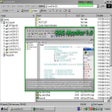
Experience HopMatrix from RedEye Network Solutions LLC, a tool that maps end-to-end network paths for diagnostics and troubleshooting. The app converts traceroute data into a live hop-by-hop graphical map, monitors latency and packet loss at each node continuously, and logs historical path metrics for post-incident analysis. It sends automated alerts, includes ISP and geographic node details, and supports IPv4, IPv6, and multi-homed topologies. Network administrators and infrastructure managers use it to pinpoint bottlenecks and document findings for service providers.
HopMatrix turns raw routing probes into persistent topology views that expose intermediate nodes, per-hop latency, and packet-loss trends. Visual node cards surface ISP and geographic data alongside timestamps, so engineers can track intermittent faults over time. The app supports exporting logged path records for external analysis or to attach to incident reports.
HopMatrix is designed for low-overhead monitoring and is optimized for Windows desktop and server environments. Because it collects probes continuously and logs metrics, it is intended to run in the background without disrupting production traffic. Administrators can schedule collection windows or run long-term observation, keeping probes modest so monitoring does not become an additional source of congestion.
The tool provides node-level ISP and geographic identification, which lets operators determine whether latency or loss is internal, on a service provider link, or at the destination network. Automated alerts call out path changes that align with performance drops, and exportable historical records let teams assemble evidence for escalation to providers or for internal postmortems.
HopMatrix targets network administrators, system engineers, IT consultants, and infrastructure managers, so workflows assume routing knowledge. The graphical maps reduce manual traceroute steps for routine checks, but interpreting multi-homed topologies and node-level metrics requires practical networking experience. Casual users can view high-level maps, while seasoned operators extract the most value for complex diagnostics.
HopMatrix is a dependable option for network teams that need persistent path visibility and documented evidence for troubleshooting. Its enterprise orientation means the tool favors operators with routing experience, so less technical users may underuse its capabilities. For teams prepared to interpret node metrics and historical logs, HopMatrix performs as a reliable diagnostic platform; the main trade-off is the required operator expertise.