

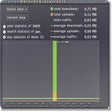
OrangeNettrace for Windows
Comprehensive Networking Tool for Windows
- Trial version
- 4.7(28)
- 326
- V 2.11
Comprehensive Networking Tool for Windows
OrangeNettrace is a trial version networking tool designed for Windows users, aimed at enhancing network diagnostics and troubleshooting. It offers features that assist in monitoring network performance, analyzing connectivity issues, and optimizing data flow. With its user-friendly interface, it provides a straightforward approach to understanding network configurations and performance metrics.
The program falls under the Development & IT category, specifically focusing on networking solutions. Users can leverage its capabilities to pinpoint problems within their network setup, making it a valuable resource for IT professionals and network administrators. As a trial version, it allows potential users to explore its functionalities before committing to a full version.
OrangeNettrace for PC
- Trial version
- 4.7(28)
- 326
- V 2.11




Discover more programs

PuTTY
- 3.9
- Free
A lightweight terminal for secure remote connections

NetSetMan
- 4
- Free
Efficient networks setting manager

CurrPorts
- 3.4
- Free
View Opened TCP/IP ports and connections

ShaPlus Bandwidth Meter
- 3.1
- Free
Control your bandwidth usage

Advanced Administrative Tools (AATools)
- 3.8
- Trial version
Keep your ports safe and secure

Kerio WinRoute Firewall with Integrated McAfee
- 3.5
- Trial version
Corporate & enterprise network firewall
Total Finger
- 4.6
- Trial version
Simple and flexible Finger server
Fastream IQ Reverse Proxy
- 2
- Trial version
Secure and boost your web servers

Alejandría Open&Play
- 3.5
- Trial version
Configure your ADSL router with ease
PortsLock
- 3.1
- Trial version
Firewall with user-level access controls
MySpeed Server
- 2
- Trial version
Accurate broadband speed test services on your website

Autosend
- 2.5
- Trial version
Share files on your computer with others, through a basic email account