

Fliqlo for Windows
<h2>Minimal flip-clock screensaver with native integration</h2>
- Free
- 4.2
- 390
- V 1.5.1
<h2>Minimal flip-clock screensaver with native integration</h2>
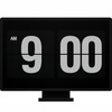
Fliqlo, by 9031, is a minimalist flip-clock screensaver that transforms an idle desktop into a high-contrast mechanical-style time display for users who want a readable clock at a distance. The program focuses on a single visual purpose, presenting large numerals with a smooth flip motion and pared-back controls. Its audience includes students, office workers, and minimalist enthusiasts who prefer an unobtrusive, legible time indicator on their desktop.
How the app replaces an idle screen with a dedicated time display
The app turns an inactive monitor into a vintage-style flip clock that mimics mechanical animation, using high-contrast numerals on a dark background. It installs as a native screensaver rather than a separate, windowed application, so the clock appears only when the system invokes the screensaver pathway. That placement keeps the display local to the desktop idle state and avoids adding a persistent foreground process.
How much you can tweak the clock's appearance
The app exposes a modest set of appearance controls intended for visual adjustment rather than deep theming. Available controls include:
- 12-hour and 24-hour format toggle
- adjustable clock scale for fitting different resolutions
- brightness and dimming settings for low-light use
- option to show or hide the background flaps and orientation support
What it demands from system resources during idle display
The app is designed for long-term idle presentation and uses a lightweight screensaver process with low background footprint, making it suitable for persistent display on a desktop. Modern versions do not require a constant network connection once installed. That low resource profile matches the stated purpose of providing a readable timepiece without taxing typical desktop hardware during extended idle periods.
How easy it is to set up and how it behaves with multiple displays
Setup occurs through the system's Screen Saver Settings panel on Windows, where a Settings button exposes scale, brightness, and time-format controls; that keeps configuration within familiar system dialogs. Multi-monitor behavior on Windows can vary by configuration, while other desktop platforms offer broader multi-display output. Mobile variants exist but cannot replace a device lock screen due to platform restrictions.
The app suits minimalist users who need a readable, single-purpose clock
The app is a restrained option for users who want a distraction-free, highly legible time display on an idle screen. It favors clarity and low resource use over scheduling features, so it is not a substitute for alarm or calendaring tools. It suits anyone aiming to replace an idle monitor with a straightforward flip-clock display rather than a multi-function desktop utility.
Pros
- Large, high-contrast numerals visible from across a room
- Per-monitor scaling adjusts clock size for different resolutions
- Brightness and dimming options for low-light environments
- Installs as a native screensaver, not a persistent windowed app
Cons
- Windows multi-monitor support varies by system configuration
- No built-in alarm or scheduling features
- Limited color customization beyond the default palette
Fliqlo for PC
- Free
- 4.2
- 390
- V 1.5.1
Top downloads

Fliqlo
A Minimalist Flip-Clock for Your Desktop
Fliqlo
Minimal flip-clock screensaver with native integration

Grand Theft Auto (GTA) IV Screensaver
Enjoy the best views of Liberty City
Gamma Panel
Adjust computer's gamma settings

Johnny Castaway Screensaver
Hilarious Castaway-Themed Screensaver Makes for Hours of Fun!