





4.3
Free
UltraViewer
A remote solution for your PC


Safe & trusted downloads
The best software, verified by experts

USB hardware management utility
Flexihub is a networking utility developed by Electronic Team, Inc. for PC devices. It is a device manager program that lets users create a network of USB devices that can be controlled and managed from a single point. It does this through a local network or the cloud for remote access.
Similar to USB Network Gate or USB Redirector, Flexihub provides users with a way to share and access USB devices connected to their PC over the internet. The software is available in multiple subscription plans depending on needs and requirements, and also offers a free trial to test its features out.
Flexihub is a piece of software that can be used to connect and control USB devices over a network. It supports all types of USB peripherals without the need for any additional driver installation. What's more, it also has cross-platform compatibility, thus you are able to use your devices on any platform that has the program installed on it.
Most USB devices nowadays offer some form of wireless connectivity to be able to access and control them remotely. However, their implementations are usually unreliable and are often limited to a local area network for operation. Flexihub circumvents these limitations by essentially giving you virtual USB ports that let you use your devices from anywhere as long as you have an active and stable internet connection.
Flexihub uses its own unique USB Redirector server to create connections between computers and devices without any complicated setup or configuration. It uses compression to speed up data transfers and minimize latency for USB equipment that requires large amounts of bandwidth. What's more, it features 2048-bit SSL encryption to ensure that your data transfers are kept safe and secure.
The first thing that you need to do before using Flexihub is to create an account on its website. Next, you can proceed to install the app on the platforms that you want to use its functionalities on and register your account on them. From there, it's just a matter of connecting your devices and start using them like you usually do.
One handy feature that's available in Flexihub is the ability to create login tokens. You can use the tokens to allow other users to connect their devices to your personal network and enjoy the same functionalities as you do. It is a safe and secure way to let others use your account without having to share your login credentials with them.
If you are interested in checking this service out and using it for yourself, there is one important point of consideration to take note of first. The number of connections that you can establish and invitations that you can distribute is dependent on your subscription plan, which can lead to dramatically increased expenses depending on your needs and requirements.
Overall, Flexihub sets out to solve one of the most common problems faced by users with regards to connectivity, and it does an admirable job of it. It's dead simple to use, offers plenty of features, and works reliably. It provides users with an easy way to remotely access and manage their USB devices without all the fuss and complications. Highly recommended.
Free
A remote solution for your PC
Trial version
USB Redirector software solution helps to create virtual ports, connections and work with USB device from all over the world
Trial version
15 different network tools on a single interface

Free
Troubleshooting tools for Kiwi Syslog products

Trial version
An efficient log tool to browse, search, filter, monitor log file of any format.
Free
A powerful tool for checking the security of your networks

A simple firewall for PC

Powerful Native Media Browser for Multiple Platforms

Browse the Internet Anonymously
Free Software for Connected People

Turn Your PC into a WiFi

Bridging the file sharing gap anytime

Tune your PC into hundreds of TV channels from around the world
All USB devices in one platform

Scan your IP network and protect your computer
Know who’s connected to the network

A free app for Windows, by SoftGzfy.
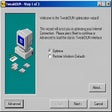
TweakDUN Review