3.1
Trial version
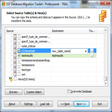
ESF Database Convert
Convert a database from one format to another in just three steps


Safe & trusted downloads
The best software, verified by experts

Know who’s connected to the network
WhoIsConnectedSniffer is a free internet and network tool that gives you the capability to discover various devices that are currently connected to your system. This lightweight utility has the power to listen to numerous network packets placed on your network adapter with a help of a capture driver WinpCap or MS Network Monitor.
A list of all linked machines will be displayed on the application’s interface along with vital information associated with it. WhoIsConnectedSniffer is developed by a well-known team of software developers, NirSoft, who produced impressive programs like ControlMyMonitor, NirLauncher, and Wireless Network Watcher.
Through WinpCap or Microsoft Network Monitor, the WhoIsConnectedSniffer app is able to vigorously detect traffic. The driver kits simulate a packet listener that processes each of them. This solution makes use of different protocols including ARP, DHCP, UDP, mDNS, and BROWSER to determine the capture drivers installed in your computer. This way you’ll also have the liberty to select which driver you wish to use all throughout the monitoring stage.
Opting to use the MS Network Monitor can grant you more advantages though as it has the ability to oversee Wi-Fi connections as well as present you some options when selecting the specific adapter to utilize in the scanning procedure. After necessary capture drivers are identified, the robust network companion will quickly conduct its task, filling your screen with all computers and other devices deemed as connected.
This process will only take a few minutes to finish. Once done, a comprehensive report detailing information such as IP and MAC address, computer/device name, description, operating system, network adapter producer, detection count, identified, protocols, down to the first and last date it was distinguished will be flash in the application’s interface. You're free to export it locally to a text file or an HTML report.
WhoIsConnectedSniffer is one of the effective third-party companions that can precisely spot all linked computers and devices to your network. Along with WinpCap or Microsoft Network Monitor capture driver’s helping hand, the program, as the title suggests, will sniff every area of your system for potentially connected machines. Afterward, an immensely intricate report will be demonstrated on your screen showing the results and you can opt to export it locally.

A lightweight terminal for secure remote connections

Turn your phone into a computer mic

Download Microsoft Remote Desktop Connection for Windows

Where networks are built before they exist

Free software to share Internet connections between two or more users
Trial version
Convert a database from one format to another in just three steps

Free
Scan your IP network and protect your computer

Free
Free penetration testing app
Trial version
Efficient Networking with Super Network Tunnel Server

Free
Protection of privacy on the Internet

Free
Application to monitor traffic via Cisco routers with NetFlow

Seamlessly connecting your local network devices
Share your screen with friends and other users
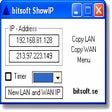
A free software for checking your IP address

A Spiritual Touch to Anonymous and Safe Web Browsing

Ultra efficient protocol analyser

A Free Networking program for Windows

Enjoy Streamlined Wireless Internet Access While Out and About
Advanced Network Scanning for Detailed Device Discovery

Freely extending the Internet one quick plugin at a time

Effective LAN Network Analyser Tool for IT Professionals

Software That Replicates Key Functions Of The Server's Software Update Service

Test DNS server performance