





3.3
Free
Xboot
Record various ISO images on one USB drive


Safe & trusted downloads
The best software, verified by experts

Free and Paid-for Portable Boot Drive for Windows OS
With FlashBoot, you can carry a fully-functional copy of Windows 8.1 or Windows 10 in your pocket, stored within a flash drive. The Free version of the software offers the ability to create a fresh, bootable copy of Windows on a USB, whilst the Pro version clones your existing Windows installation, complete with documents, applications, settings and more.
FlashBoot is useful for preparing a fresh install of Windows, whether that be for a new computer that you're purchasing, or a customer computer under your care that requires a full reinstall. However, the Pro version is perfect for creating a clone of your existing setup, so that you can move from your old to your new machine without any lost settings, data or apps.
With a free subscription tier that can create a clean install of your Windows OS licence, FlashBoot is a useful Windows utility tool to have available. However, if you're willing to shell out a little cash for the Pro version, then you can have a fully-customized version of your own Windows installation ready to go in case of an emergency or upgrade.
Free
Record various ISO images on one USB drive

Free
Make bootable USB instances

Free
Bootable USB Replicator can create bootable image of your USB drive
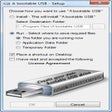
Free
Create Bootable USB Drives Easily
Free
Make your USB bootable
Free
A free app for creating a bootable USB drive

A free program for Windows, by Microsoft.

Efficient Data Recovery with Handy Recovery

Install the latest driver for HP deskjet f4583 all in one printer

Recover lost or deleted files

Clean-up and optimize Windows 11 PC system

Cross-Platform GUI for Chameleon Devices

Hasleo Data Recovery Free
Enhanced Git Management with GitTower GitFlowNext
Optimize Your Temporary Files with GiMeSpace
Effortless Graphic Design with Templates