




3.7
Free
ViPad
ViPad provides a new and innovative way to launch your favourite apps and acts a complete super desktop replacement


Safe & trusted downloads
The best software, verified by experts

Easy Desktop Keeper gives you the ability to save, restore, manage and lock your desktop layout that includes files and folders located on your desktop, placement of desktop icons, desired wallpaper and screen saver. If you choose to lock your desktop layout, every time you reboot your PC, the program will restore your desktop icons and bring them back to their original positions as well as return your old wallpaper and screen saver to the background.
You can create an unlimited number of desktop layouts for different purposes such as gaming, working, surfing the Internet as well as provide different users with their own desktops. Easy Desktop Keeper is very easy to use: simply place your icons wherever you want them on your desktop, select desired wallpaper and screen saver, double click program's tray icon and click the Save button to create a new desktop layout file.
If your icons ever get moved or deleted by any user or after entering the safe mode or changing the screen resolution, just open the program and click the Load button to return your desktop to any previously saved state, or simply reboot your PC if you are in the Lock Desktop mode. Many of you, after meticulously arranging all the icons on your desktop, have been frustrated to no end when somebody else or Windows itself randomly re-arranges them.
It is getting more frustrating when you get your icons deleted from your desktop without an ability to recreate them back. System administrators working in educational institutions will realize that Easy Desktop Keeper is just a must for their PC labs because it can be easily used to stop pesky students from changing desktop wallpaper, deleting desktop icons and so on. This easy-to-use utility will give you new exciting abilities to manage and secure your desktop; you'll get rid of a lot of headaches, and get a peace of mind.
Free
ViPad provides a new and innovative way to launch your favourite apps and acts a complete super desktop replacement

Free
DeskLock: A Free Windows File Manager
Trial version
Advanced tray launcher
Trial version
Plan your trips using GPS technology
Free
Practical program and folder launcher

Free
Krento: A Versatile Desktop Utility for Windows

Streamline AI Model Usage with Msty CPU Only
Complete guide of hints and tricks for Windows

Streamline Docker Projects with Compose Generator

Rapidly clone your hard disks

Create professional autorun / autoplay menu interfaces for CD and DVD
A disk defragmenter with something extra to offer
Rename your photos quickly and easily

CCom: A Robust Compiler for Conditional Comments
Power file management in this handy tool

Decide what is loaded on Windows startup
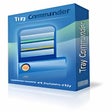
Open applications, files, web pages...all with one click!