


EF StartUp Manager for Windows
- Trial version
- 3.3(4)
- 942
- V 6.20
When starting Windows, a number of other programs are also started. Some are necessarily, but the autostarting mechanism is used also by programs, which spy the computer. Finaly is simple possible that some unused programs are started and use system resources.
The EF StartUp Manager allows you a simple handling and complete control of applications which starts with Windows. They can insert, temporarly disable or delete with ease new programs. More, the controlled starting mode makes it possible to start the programs in a defined order and optionaly specify a delay between them. The Windows Explorer like interface offers an optimal overview on the entries.
EF StartUp Manager for PC
- Trial version
- 3.3(4)
- 942
- V 6.20





Discover more programs

RunMe
- 3.8
- Free
Customize this attractive launch bar with your favorite apps

Flip Shopping Catalog
- 4.2
- Trial version
A smarter approach to digital marketing

System Mechanic Pro
- 3.9
- Free
An excellent set of system maintenance tools
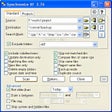
SynchronizeIt!
- 4.5
- Trial version
Powerful directories and archives synchronization

Actual Window Rollup
- 4.7
- Trial version
Roll-up all your open windows like blinds
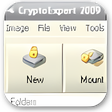
CryptoExpert 2011
- 1.2
- Free
Create virtual disk drives with a high level of encryption
EF Process Manager
- 4.1
- Trial version
Control all the processes in your PC
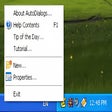
AutoDialogs
- 2
- Trial version
Access any folder from any dialog menu

HyperHide
- 4
- Free
Take control of your windows and protect your privacy
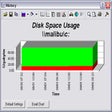
DiskMonitor
- 4.8
- Trial version
Monitor local and networked disks

FlexTK Professional
- 3
- Trial version
Comprehensive Utility Tool for Windows Users

FileBadger
- 5
- Free
A free app for Windows, by MollieSoft