





4.1
Trial version
Snap Schedule
Snap Schedule helps you saves employee scheduling time, eliminate scheduling conflicts, and reduce overtime & labor cost


Safe & trusted downloads
The best software, verified by experts

Efficient Employee Scheduling Software for Windows
DRoster Employee Scheduling is a trial version productivity application designed for Windows that focuses on streamlining employee scheduling tasks. This software allows users to create and manage work schedules efficiently, accommodating various shifts and personnel needs. Its intuitive interface makes it easy for managers to assign shifts, track employee availability, and ensure optimal staffing levels.
The application provides a range of features including drag-and-drop scheduling, reporting tools, and the ability to handle complex scheduling scenarios. With DRoster, businesses can reduce scheduling conflicts and enhance overall productivity by ensuring that the right staff is available at the right times. This makes it an essential tool for organizations looking to improve their workforce management.
Trial version
Snap Schedule helps you saves employee scheduling time, eliminate scheduling conflicts, and reduce overtime & labor cost

Free
A free program for Windows, by fhammer-software.
Free
A trial version program for Windows, by Nonlinearideas.

Free
A light, fast and affordable PDF editor. Create, comment and edit your PDF files easy and fast with this amazing software!

Free
Schedule your meetings easily

Free
Free and Professional Medical Office Management Software
Capture: A Free Windows Productivity Tool

A native Gmail experience for Windows users

Single-user license without support is free. Paid version includes...

Keep track of pages without RSS feeds

WordPress plugin to easily manage multilpe contact forms
Craft your own calling cards with this feature-rich designer

Advanced notepad utility for programmers

OpenOffice enhancement with extra graphics, templates, fonts and tools
Keep track of your work time

An improved Open Office development build
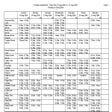
Manage employee schedules effortlessly
Draw bubble maps for your thoughts