4
Free
Draw Anime: Easy Ar Drawing
Create Stunning Anime Art with AR Technology


Safe & trusted downloads
The best software, verified by experts
<h2>AR-guided anime tracing and AI photo-to-sketch on Android</h2>
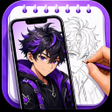
Drawly: AR Draw Anime AI from Appmetrics is an Android app made to help users create traceable artwork with camera-guided overlays and AI conversions. It projects line art over a live camera feed and converts personal photos into clean sketches for manual tracing. The app includes a large anime-focused template library, text lettering styles, and process recording. Hobbyists, teens, and beginners gain a fast, hands-on way to practice drawing without account setup.
Drawly uses two concrete conversion paths: AR projection and an AI photo-to-sketch tool. The app projects line art onto a live camera feed so you can trace on paper while viewing the overlay. Its AI feature converts gallery photos into clean, traceable line art, enabling personalized sketches from selfies or pet photos. Templates cover anime, chibi, animals, flowers, and cartoons for immediate tracing.
Practical use relies on simple hardware choices. The app runs on Android and requires camera access for AR features; it works best when the device is stabilized on a stand or mount. Tools such as an anti-shake lock and a flashlight setting help maintain visibility, and the light pad or sketch mode lets you trace directly on the screen when a stand is unavailable.
Accessibility for newcomers comes from low friction and guided practice. There is no sign-up required, so drawing begins immediately. An opacity slider lets you fade the overlay for precision while tracing, and the anime-focused catalog provides step-in designs for fans and students who want visible, repeatable results without years of practice.
Drawly records the creative process and adds lettering options. The process recording feature captures time-lapse videos of a drawing session for saving or social sharing. Text art styles convert names or quotes into 12 lettering options ready for tracing, and reset controls simplify restarting a composition during practice.
To sum up, Drawly is a practical option for hobby artists and anime fans who want visible, camera-guided practice and quick personalization from photos. It excels as a daily drawing companion when you can mount your device and record sessions. Less suitable for artists seeking unassisted freehand training, since much of the value comes from guided overlays and recorded walkthroughs.

A guide for artists

Higgsfield AI: Your Ultimate Presentation Tool

iOS Emojis For Android

Transform Ideas into Cinematic Videos with GenV

Anijam: AI Animation Maker for quick social-video creation
Free
Create Stunning Anime Art with AR Technology
Free
Unleash Your Creativity with Draw Sketch
Free
Explore Creativity with AR Sketch Master
Free
AR Draw Sketching: Trace Paint
Free
Practice anime sketching with AR overlays and photo conversion
Free
Procreate Pro Art - Boost Your Creativity