

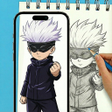
AR Draw Cartoon - Anime Sketch for Android
<h2>Practice anime sketching with AR overlays and photo conversion</h2>
- Free
- 4.7
- V 1.1.0
<h2>Practice anime sketching with AR overlays and photo conversion</h2>
AR Draw Cartoon - Anime Sketch from ZENTRIXA STUDIO TEAM turns a phone into an AR projection tool for learning anime proportions and tracing. It uses the device camera to display reference outlines over physical paper so users can trace while looking through the screen. The app pairs a dedicated template library with guided tutorials to structure practice. Targeted at anime fans and hobbyists, it helps beginners build accuracy and track improvement.
How the tool fits into a quick drawing session
In practice, you point the camera at a sheet, select a reference, and align the projected image to your surface while tracing through the screen. The workflow supports importing gallery images and converting them into simple outlines, so users can switch between copying templates and working from personal photos. That makes short, repeatable practice sessions practical for improving character proportions and line confidence.
What setup and permissions are required on Android
The app runs on Android and explicitly requests camera access for AR projection and storage permission for importing and saving images. Permissions include at minimum:
- Camera access for projection and live tracing
- Storage access to import photos and save recordings
Those steps are necessary before the AR view or photo tools become available on the device.
Who benefits from the learning materials and community reception
The tool is aimed at beginners and hobbyists who want guided practice; user feedback notes its usefulness for learning proportions. The developer’s catalog includes other creative apps, and the app has reached a substantial user base on the Android store, which suggests it meets common learning needs for anime-style drawing practice among casual artists.
How it supports documenting and refining technique
The app can record the drawing process, producing shareable videos that help users review progress and teaching sessions. It also offers in-app image controls to tweak references before tracing, and an integrated flashlight mode helps when working in dim conditions. Those capabilities let creators both practice and capture iterations without leaving the tool.
To sum up, a practical pick for focused anime practice
To sum up, the app is a practical option for hobbyist illustrators and weekend sketchers who want guided, repeatable practice to tighten anime proportions. Its specialization in cartoon and manga aesthetics means it is less suitable for artists who need broad, realistic figure-study tools. Pro tip: schedule short daily tracing drills to convert observed proportions into confident freehand lines.
Pros
- AR camera projection enables precise overlay tracing
- Photo-to-sketch converter turns gallery photos into sketchable outlines
- Step-by-step tutorials help beginners learn proportions and workflow
Cons
- Specialized toward anime and cartoon styles, limiting other art genres
- Requires camera and storage permissions to operate AR and import images
- Projection accuracy depends on device camera quality
AR Draw Cartoon - Anime Sketch for Android
- Free
- 4.7
- V 1.1.0
Top downloads

Drawing Grid For The Artist
A guide for artists

Higgsfield ai
Higgsfield AI: Your Ultimate Presentation Tool

iOS Emojis For Android
iOS Emojis For Android

GenV - AI Video Generator
Transform Ideas into Cinematic Videos with GenV

Anijam: AI Animation Maker
Anijam: AI Animation Maker for quick social-video creation