3.4
Trial version
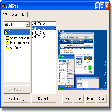
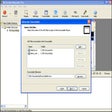
My Screen Recorder
Capture your desktop activity and make AVI, WMV and Flash presentations


Safe & trusted downloads
The best software, verified by experts

Effortless Screen Recording with DiReec Screen Recorder
DiReec Screen Recorder is your top choice for capturing specific screen areas with ease and precision. Whether you need predetermined recording areas or a custom selection, this program empowers you to record with flexibility. Save your recordings in various formats like MP4, MOV, FLV, AVI, MP3, and more for convenience and compatibility.
This feature-packed screen recorder allows you to record screen, webcam, and audio simultaneously or separately, offering high-resolution downloads up to 4K and 8K. With unlimited recording capabilities, annotation tools, screenshot capture, scheduling options, hardware acceleration, mouse cursor visibility, customizable hotkeys, and special streaming video recording via URLs, DiReec Screen Recorder ensures a seamless and efficient recording experience tailored to your needs.

Comprehensive Screen Capture Tool for Windows
Efficient Free Screen Capture Tool for Windows
Efficient Screen Capture Tool for Windows Users

The ultimate FLV & MP3 capture tool

Comprehensive Screen Capture Tool for Windows

Efficient Screen Capture Tool for Windows
Websnapshot: Screen Capture Utility for Windows

Watch interesting BBC documentaries and lots more

Screen Capture Tool: Manual de Captura

Take snapshots directly from your favorite movie
HeShot: A Free Windows Screen Capture Tool
Capture video from a range of mediums