





4.1
Paid
Easy Start Launcher
Easy Start Launcher: Simplify Access to Your Most Used Programs


Safe & trusted downloads
The best software, verified by experts
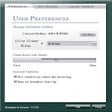
With Dash Command you can locate and execute the programs that you have installed on your PC in a faster and simpler way.
In order to execute a program, simply introduce the name of the program into Dash and select Dash Command which will execute it in an instant.

Analyze all the installed components on your computer

Professional Background Dimmer for Viewing Online Videos

Install the latest driver for HP envy 14 beats edition
A free Software utilities program for Windows

Select which operating system to boot up with
Bulk renamer of files, specializing in MP3

A wireless backup solution
Download Intel® HD Graphics Driver for Windows XP* for Intel® Desktop Boards
Check if you have a genuine Intel, and its operating speed
Multipurpose system utility for MS Windows 2000 and XP
Temporary files remover
A free app for Windows, by INTEL CORP.