





2.4
Trial version
PDFZilla
Efficient PDF Conversion with PDFZilla


Safe & trusted downloads
The best software, verified by experts

<h2>Automated Crystal Reports scheduling for timed and event-driven delivery</h2>
CRD Crystal Reports Scheduler, from ChristianSteven Software, automates SAP Crystal Reports generation and distribution for scheduled, event-driven, and data-driven workflows. It runs report jobs automatically, exports to multiple output formats, bursts a master report into individualized files, and can execute pre/post delivery scripts. Key capabilities include multi-channel delivery to email, FTP, SharePoint and cloud folders, blank-report checks, and a Windows Service scheduler. Suited to business analysts, IT managers, and report administrators who need reliable, repeatable distribution of business intelligence output.
CRD is an automation and scheduling suite built specifically to operate with SAP Crystal Reports, and it requires the Crystal Reports runtime to read and process .rpt files. The app includes a Windows Service scheduler so report jobs run without a user logged into the machine. That design places CRD in environments that need unattended, repeatable report production rather than ad-hoc manual exports.
The tool supports time-based, event-driven, and data-driven triggers to launch jobs, and it can burst a single master report into multiple personalized files for different recipients. Delivery channels include:
Pre- and post-delivery actions can run SQL scripts or batch files, allowing report output to feed downstream processes.
The app installs on Windows platforms and supports 32-bit and 64-bit environments, including modern Windows Server editions and legacy Crystal Reports back to 8.5. Because CRD depends on Crystal Reports components and can execute SQL or batch scripts, setup and advanced configuration benefit from IT or report-design expertise. A trial version is available for testing feature fit before broad deployment.
CRD exports to standard business formats such as PDF, Word, Excel, CSV, HTML, RPT, and text, which preserves interoperability with other tools. Its bursting engine can produce hundreds of personalized files from one master report, supporting high-volume distribution. The product is reported by users as a dependable option in enterprise settings and holds positive ratings on review platforms, reflecting practical reliability for scheduled reporting.
CRD is a practical option for report teams who need automated, event-driven distribution of Crystal Reports. It requires the Crystal Reports runtime and some scripting or report-design skill, so teams without IT support may face a steeper setup. Generally, the tool performs well for organizations managing high-volume, scheduled report distribution that must integrate with existing workflows and delivery channels.
Trial version
Efficient PDF Conversion with PDFZilla

Free
Visual business process modeling tool
Trial version
PDF to DOC - Convert PDF Files to Word Documents in Batch Mode

Trial version
Intuitive software to display flip books in a three-dimensional manner

Trial version
Streamlining your digital document workflow without hassle
Free
Comprehensive Documentation Tool for Developers

One of the best market analysis softwares available
IDAutomation bar code generator webservice
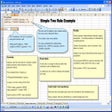
Add business rules to your Excel spreadsheets
Efficient Contact Management Tool for Windows

A new alternative to Adobe Acrobat Form Tools
A trial version Business program for Windows
Knowledge base solution for everyone
Complete and intiutive tool for managing a Net cafe
Track work orders, PM, repairs, parts, labor
Keep track of calls and data use on your business lines

A trial version app for Windows, by Fookes Software.

Efficient Text Editing with NoteTab Light