





3.2
Free
RAW Converter
Convert Your RAW Images With This Free Program


Safe & trusted downloads
The best software, verified by experts
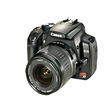
<h2>Fast RAW-to-image conversion for high-volume photography workflows</h2>
Contenta RAW Converter, from Contenta Software, is a Windows utility for converting and organizing RAW camera files, aimed at photographers managing large image sets. The app performs bulk RAW processing into common image outputs while preserving sensor detail and metadata, with tools for batch organization and basic image adjustments to reduce manual post-processing. Target users include professionals and enthusiasts who need fast, reliable conversion and orderly archives for delivery or cataloging.
It functions as a production-stage tool that reduces per-image handling after a shoot. The app turns camera RAW into ready images while keeping captured detail intact, and it fits into a capture-to-delivery sequence where consistent exports matter. Photographers assembling proofs or client galleries get a repeatable conversion step that minimizes time spent on repetitive tasks and keeps files ready for downstream editing or publication.
Input coverage includes RAW formats from more than 25 manufacturers, with examples such as Nikon, Canon, Sony, Olympus, and Pentax. Export choices include JPEG, TIFF, PNG, and PDF with adjustable quality settings. Metadata handling covers EXIF, IPTC, and XMP, and the app lets users preserve or edit those tags during conversion, which helps maintain catalog integrity across archives and delivery sets.
Processing uses multi-threaded, multi-core CPU optimisation to shorten batch runs. The tool does not impose a strict file count limit and can process thousands of images in one session when the device has sufficient resources. User feedback highlights stable behavior with large directories and reduced crashes, so conversion speed and responsiveness scale with the device’s processing capabilities.
Automation and simple adjustments make the app more about delivery than detailed compositing. Features include automated file renaming based on metadata, advanced subfolder management, and basic image adjustments for brightness, white balance, and noise reduction. It can also output PDF photo albums and slideshows directly from RAW files. Unlike many single-image editors, it concentrates on handling volume. What's more, the one-click temporary online hosting suits quick sharing but not permanent galleries.
In conclusion, the converter is a pragmatic option for photographers who handle large workloads and require dependable, consistent results at the conversion stage. Expect a focused toolkit that favours batch processing and organized outputs over deep pixel-level retouching, a trade-off that makes the tool less useful for heavy compositing. It fits teams and professionals who value speed and archive-ready delivery in a production pipeline.
Free
Convert Your RAW Images With This Free Program

Free
A Free Tool to Convert Your Raw Images to JPG

Trial version
A powerful ARW converter

Free
A Free (GPL) Design & photography program for Windows
Free
A Free Design & photography program for Windows

Trial version
Contenta Converter: Fast batch image processing for photographers and e-commerce

Create Stunning Prints with ArcSoft Print Creations 3

An slideshow maker to create a stunning slideshow movie from photos, videos and music with wonderful slideshow template.

Versatile GIF Player For Desktop Computers

Create fantastic kaleidoscopic effects using your photos

Easy video slideshows for any occasion

An easy-to-use tool for batch resizing images

Create Stunning Photo Books with Ease

Design and print you own professional labels and card in just minutes.
Create eye-catching online photo galleries in no time

Viewer2: A Free Windows Photography App

Free Photography Software for Windows
Modi: A Free Photography Tool for Windows