5
Trial version
Turbo Outlook Express Backup
Fully backup your Outlook Express emails including settings and IE favorites


Safe & trusted downloads
The best software, verified by experts
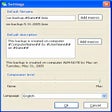
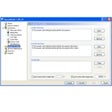
Need a simple yet reliable solution for making a reserve copy of your Outlook Express e-mail accounts? Try entering "Outlook Express backup" and you will drown in information. Over 450000 links, several dozens different applications and no "This is the right one for you!" sign. Or, if you don't want to waste your time, simply download Compact Outlook Express Backup.
It's the only Outlook Express backup tool that comes with a two-button interface. Yep, Backup and Restore are the only buttons you'll see. Pretty uncomplicated, isn't it? Yet Compact Outlook Express Backup is still a flexible tool with some muscle. This utility does not back up e-mail messages exclusively. It is capable of making a reserve copy of an e-mail account that contains account settings, general settings, signatures, rules, and a list of block senders as well. It's up to you what information you want to save. Second, each backup is date-stamped and you can add your comment too. This is especially helpful when you have several Outlook Express accounts to take care of, whether in home or office. Finally, the reserve copies can be password-protected. After all, e-mail is very personal and confidential.
Synchronize data between two computers

Efficient OneDrive Migration Tool
Efficient Backup Tool for Windows Users
Protect your important files and data
A trial version Security program for Windows
Backup Outlook Express
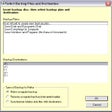
Create backup extractable files
A trial version Security program for Windows
Prevent the catastrophic loss or accidental modification of documents

2GB of online storage for your security backups